Avatar Addon Overhaul: Complete Elemental Bending for Minecraft Bedrock
The Avatar Addon Overhaul adds elemental bending mechanics to Minecraft Bedrock. Master water, earth, fire, and air with skill trees, chi resources, and PvP combat.


Created by GlitchyTurtle
The Avatar Addon Overhaul brings elemental bending to Minecraft Bedrock Edition. This addon recreates the magic system from Avatar: The Last Airbender, letting you bend water, earth, fire, or air in competitive and survival gameplay. After more than two years of development, creator GlitchyTurtle released a complete overhaul that fundamentally changes how players approach combat and exploration.

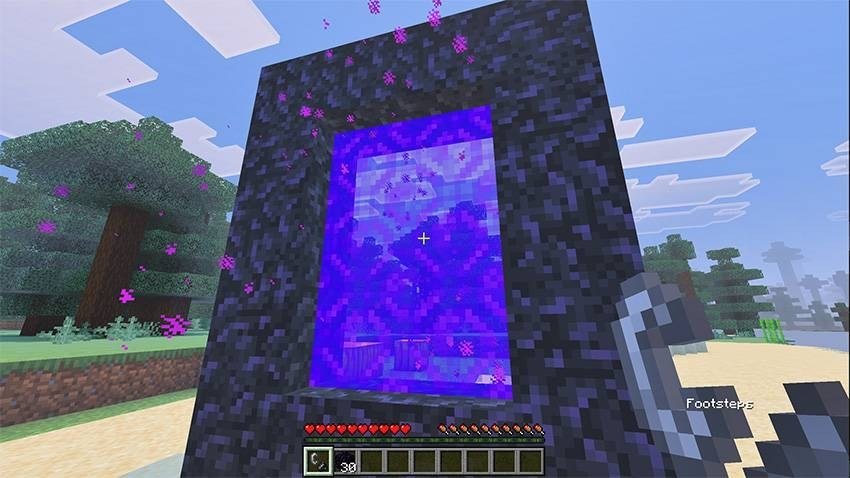
Photos by GlitchyTurtle
What makes this avatar addon overhaul different
This addon is more than a cosmetic pack. The addon restructures your entire combat toolkit around a single resource: chi. Every bending move costs chi to cast, and every hit you land helps unlock new abilities. It plays closer to an RPG than vanilla Minecraft, with permanent skill tree choices that shape your playstyle for the long run.
The overhaul added major improvements over earlier versions. The bending scroll interface now works smoothly on touch and controller. The customizable hotbar system lets you bind specific moves to inventory slots, so switching between a charged fireball and a rapid water whip takes one click instead of five menus. Moveset presets save entire ability loadouts, useful if you want to swap builds between PvE dungeons and PvP servers.

The four elemental styles and how they play
Each element has its own skill tree with unique passive and active abilities. You make permanent branching choices as you level up, locking you into a specific playstyle for that element.
- Water bending focuses on healing and flow-based offense. Charged moves let you hold down the button to charge up stronger attacks.
- Earth bending emphasizes defense and crowd control, with moves that anchor you in place or push enemies away.
- Fire bending is the offensive powerhouse, with rapid activation moves and high damage output.
- Air bending prioritizes evasion and counterattacking rather than raw offense. It's the defensive element.
The skill trees include a Reforge option. If you unlock the wrong ability branch, you can reset your progression and rebuild without losing your element choice. This takes pressure off early-game decisions.

Combat mechanics and the chi system
Chi is the energy that fuels every bending ability. Land hits on enemies, and you unlock new moves and build chi reserves. The system includes three move types: standard activation (tap to use), charged moves (hold the button to build power), and toggle moves (switch on and off).
Focus and overflow mechanics add depth to PvP. Focus boosts your ability power when you're landing consistent hits. Overflow works the opposite way, triggering when you're taking damage, so skilled players can turn the tide with smart ability timing.
The right-click or long-press interaction system adapts to your device. Keyboard players right-click. Touch players long-press. Controllers use the assigned button. This cross-platform fluidity matters if you're playing MCPE on a phone one day and a Windows machine the next.

Server administration and multiplayer
If you're running a server, the admin menu lets you control which elements players can select. You might restrict everyone to water bending for a themed survival world, or allow all four elements in an open PvP arena. This keeps multiplayer sessions balanced and on-theme.
GlitchyTurtle runs a community Discord server with an active SMP (Survival Multiplayer) and support channels. If the addon breaks on your device or you're unsure about skill tree choices, the community usually responds fast.
Performance and compatibility with best Minecraft addons 2026
The Avatar Addon Overhaul works on any device running Minecraft Bedrock Edition. It pairs well with other top addons: cosmetic packs add custom skins, lightweight shader packs improve visuals without tanking FPS, and quality-of-life addons like custom UI mods don't conflict with the bending system.
Performance depends on your device. On mid-range phones or older tablets, the addon runs smoothly at base settings. High-end devices handle all particles and ability effects without frame drops. Unlike some Bedrock addons, this one doesn't require a resource pack companion to function.
How to install the avatar addon overhaul
The addon comes as an .mcpack file. On most devices, clicking the file launches Minecraft and auto-imports it into your worlds and settings. If that doesn't work, open Minecraft, go to Settings, select Resource or Behavior Packs, tap Import, and navigate to the .mcpack file.
After installation, load a world and spawn in. A tutorial screen should appear. If you don't see it, the addon didn't import correctly, and you'll need to reinstall or check your Minecraft version.
Enable the addon in your world settings before starting. It works in Survival, Creative, and multiplayer realms, but you need it active on all players' devices for shared servers.
FAQ about the avatar addon for Minecraft Bedrock
Do I need a resource pack to use this avatar addon overhaul?
No. The addon works without a resource pack. Custom visuals are optional but not required for the bending system to function.
Can I use this addon with other Minecraft addons?
Yes. The Avatar Addon Overhaul doesn't conflict with cosmetic packs, lightweight shaders, or UI addons. Avoid other combat or ability addons on the same world, as they may override each other.
What's the best element for beginners in this avatar addon?
Water bending is most forgiving. Its healing moves keep you alive while you learn the combat system. Air bending has a steeper learning curve because evasion requires timing.
Can I reset my skill tree choices?
Yes. Use the Reforge option in your skill tree menu to reset and rebuild your ability path without losing your element selection.
Share
What's Your Reaction?
 Like
0
Like
0
 Dislike
0
Dislike
0
 Love
0
Love
0
 Funny
0
Funny
0
 Angry
0
Angry
0
 Sad
0
Sad
0
 Wow
0
Wow
0