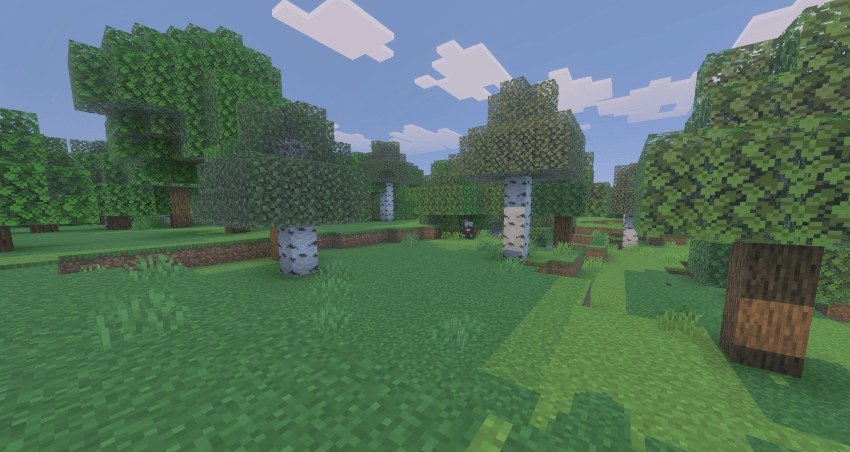
Mob Despawn Timer: Control How Long Mobs Stay
Learn how the Mob Despawn Timer addon lets you control entity despawn times in Minecraft Bedrock. Adjust mob lifespans with a simple UI and keep achievements enabled.


Created by Studio 38
Mob Despawn Timer is a Minecraft Bedrock addon created by Studio 38 that puts you in control of how long mobs and other entities stay in your world. By default, Minecraft makes entities disappear after a set time if they're not loaded or interacted with, but this addon lets you customize those timers on a per-entity basis. If you've ever wondered how long until mobs despawn or wanted to change those default rules, this tool gives you granular control without breaking achievements or requiring experimental features.
The addon works on worlds, Realms, and servers, so it's useful for solo play or multiplayer. Installation is straightforward, and the system includes a built-in book interface for adjusting settings in-game. No external apps or complicated config files needed.
What problem does this addon solve?
Vanilla Minecraft despawn rules can feel arbitrary. Mobs vanish when they shouldn't, rare spawns disappear before you can capture them, and farm designs sometimes fail because entities die off too fast. The default mob despawn time in Bedrock works on a 30-second timer once mobs fall outside of loaded chunks, but that's a one-size-fits-all system.
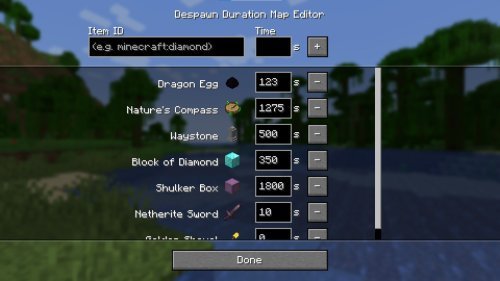
This addon lets you decide how long each entity type stays alive in your world. Want creepers to stick around longer for farm efficiency? Want to prevent accidental despawn of that unusual mob variant you found? Adjust the slider and it's done. The changes apply immediately without reloading or restarting anything.
How the customization system works
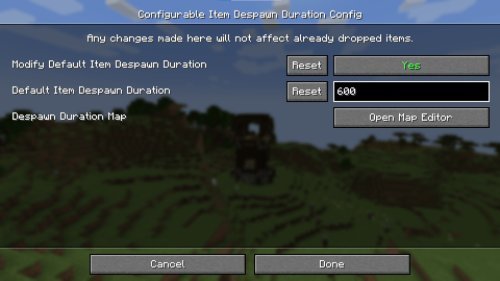
When you first load a world with this addon active, you automatically receive a Mob Despawn Timer Book in your inventory. This book is your control center. Open it and you'll find a clean UI with slider controls for individual entity types. Each slider lets you set a custom despawn timer in seconds.
The default is 30 seconds per entity, but you can push that higher or lower depending on what you want. If you lose the book, simply sneak while holding a normal book and you'll get a fresh copy. There's no penalty or weird cooldown.
Because the addon doesn't use player.json files, it keeps server memory clean and plays well with other tools. The UI is straightforward enough that even players unfamiliar with addons can figure out which slider controls which mob in seconds.

Key features at a glance
- Adjustable despawn timers for individual entity types with slider controls
- Mob Despawn Timer Book automatically given to world owner on first spawn
- Recovery option: sneak with a normal book to get another copy if lost
- Default 30-second despawn timer per entity, fully customizable
- Fully compatible with achievements, no experimental features required
- Works on worlds, Realms, and servers without lag or compatibility issues

Will this addon affect your game performance?
Since the addon runs on standard Bedrock features without experimental toggles, it has minimal overhead. Most players won't notice any FPS impact, especially on modern devices. The timer system runs in the background and only checks entity status during normal game ticks, so it doesn't cause stuttering or chunk-loading delays.
On older phones or lower-end hardware, the addon is still lightweight compared to texture packs or heavy shader modifications. The UI menu only loads when you open the book, so it doesn't drain resources just sitting in your inventory.
Who should use this addon?
Farm builders benefit most, since controlling how long mobs stay alive directly affects farm efficiency and mob type filtering. Creative players who want to keep specific mobs around for building or aesthetic purposes will find it useful too. Realm owners running multiplayer worlds might enable longer despawn timers to prevent frustration when teammates hunt for specific mobs.
Casual players probably won't need it, since the vanilla despawn rules are usually invisible during normal gameplay. But if you've ever been annoyed by a mob vanishing right before you could tame or capture it, this addon was made for you.
How to install on MCPE and Bedrock
Download the addon file, which comes as a .mcpack. On most devices, opening the .mcpack file automatically launches Minecraft and prompts you to import it. On some Android devices, you may need to move the file to your games folder manually, but the process is usually one tap.
Once installed, create a new world or open an existing one, then toggle the addon on in the world settings. Load in and you'll get the Mob Despawn Timer Book right away. No restart needed, and achievements stay active.
Frequently asked questions
How long do mobs take to despawn by default?
In vanilla Minecraft Bedrock, mobs despawn after 30 seconds once they're outside of loaded chunks or out of sight. This addon starts with that same 30-second baseline but lets you change it per entity type.
Can mobs despawn while I'm looking at them?
Mobs in loaded chunks don't despawn while you're in the world and nearby, but if they leave the loaded area, the timer kicks in. This addon doesn't change that core mechanic, it just controls how fast the timer runs.
Does this addon work on Realms and multiplayer servers?
Yes, the addon works on worlds, Realms, and servers. Only the world owner can change the despawn settings via the book, but all players benefit from the custom timers.
Will I lose achievements if I use this addon?
No, the addon is fully compatible with achievements. You can play on achievement worlds without any problems.
Share
What's Your Reaction?
 Like
0
Like
0
 Dislike
0
Dislike
0
 Love
0
Love
0
 Funny
0
Funny
0
 Angry
0
Angry
0
 Sad
0
Sad
0
 Wow
0
Wow
0