All Of The Addons: The Best Addon Compilation for Minecraft Bedrock
All Of The Addons is a Bedrock compilation pack combining dozens of community add-ons with RPG progression, magic, tech, and exploration. Install on MCPE and PC.

Created by Behehead
All Of The Addons is a Bedrock Edition add-on compilation pack created by Behehead that bundles multiple community-made add-ons into one cohesive progression system. Instead of hunting down individual mods across the internet, this pack organizes dozens of add-ons around themes like RPG progression, magic, technology, and exploration, letting you drop it into a world and start playing.
The core idea mirrors the popular All The Mods modpack concept, but built for Minecraft Bedrock (MCPE). If you've wanted to know how to install addons minecraft bedrock while actually having them work together without conflicts, this is the kind of solution that saves hours of troubleshooting.
What you actually get in the pack
All Of The Addons contains 10 drops, which is Behehead's way of organizing batches of add-ons. Each drop adds new features without overloading your game all at once. The pack totals dozens of individual community add-ons, all pre-configured to work together.
The content breaks into four main gameplay pillars:
- A full RPG progression system with classes, relics, and tiered equipment that makes leveling up feel meaningful
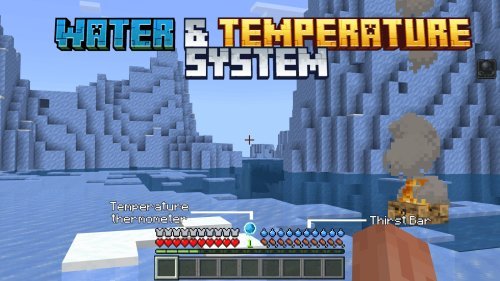
- Magic and technology trees with automation tools and digital storage (like modded computers and data networks)
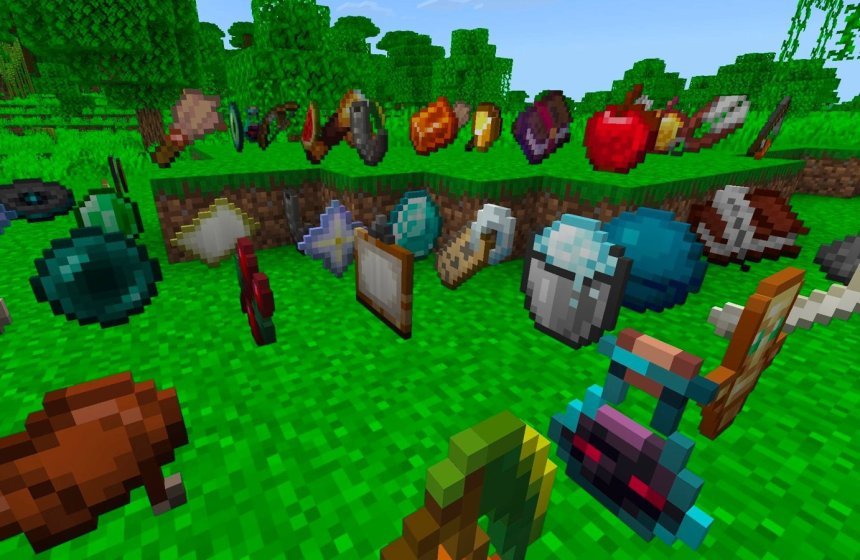
- Hundreds of new weapons, tools, armor pieces, and accessories so you're not stuck with iron and diamond forever
- Exploration content including dungeons, boss encounters, and entirely new dimensions to discover
Multiplayer works out of the box. You can play these add-ons solo or with friends on the same world. The pack is designed for both single-player campaigns and group survival.
How the RPG and progression systems change gameplay
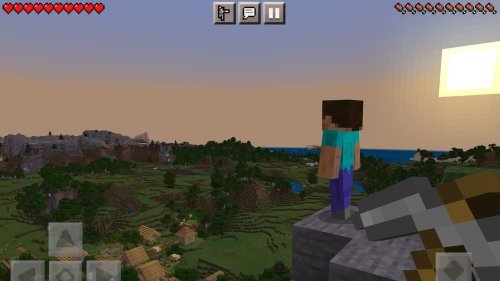
Vanilla Minecraft has mining progression: stone, iron, diamond, netherite. Then you're done. All Of The Addons extends that into something closer to an RPG, where character growth happens in layers.
The class system lets you specialize into different playstyles. Your choice affects stat bonuses, magic abilities, and which equipment tiers you unlock first. Relics work like unique passive bonuses you find and equip separately from your armor. Equipment tiers go far beyond netherite, so there's always a reason to hunt for the next upgrade.
Magic and technology trees run parallel. You don't have to pick one. A player could use tech for mining speed and farming, then magic for combat and exploration buffs. Automation tools from the tech side let you set up farms and resource production without standing there mining by hand for hours.
Exploration and new content to chase
Dungeons aren't just another cave with mobs. The pack includes boss encounters that require actual preparation and strategy. These aren't meant to be one-shot kills with diamond gear.
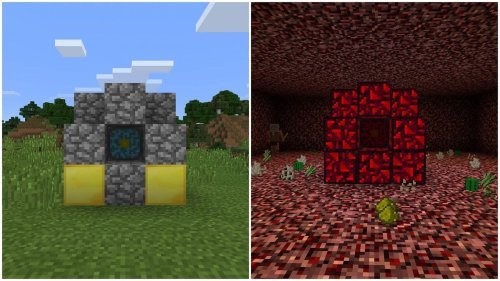
New dimensions expand where you can explore. Instead of just the Nether and End, you get additional realms with their own mobs, blocks, and loot tables. This gives long-term players new goals and reasons to keep playing beyond beating the Ender Dragon.
Performance and system requirements
A compilation pack this large needs breathing room. Behehead recommends a minimum of 8 GB of RAM for non-server play. If you're running this on a laptop with 4 GB, you'll hit frame drops and stuttering.
This is worth mentioning because many Bedrock add-ons are lightweight, but combining dozens of them stacks up. Devices with better specs (8 GB RAM, solid SSDs, current-generation processors) will have noticeably smoother performance.
If you're on Android or a weaker PC, you can still run it, but expect frame rate fluctuations and longer load times. Server play bypasses most of these constraints since the server handles the heavy lifting.
How to install addons minecraft bedrock with this pack
The install process is different from typical single add-ons because you're loading multiple packs at once.
First, you need to enable Experimental Features in your world settings. This unlocks the custom features and commands that the add-ons rely on.
Next, download all individual add-ons separately from their respective creators. All Of The Addons doesn't bundle them into one file; instead, it provides configuration files and balance adjustments that make them work together. This means a bit more legwork on your part, but it keeps each creator's work intact and credited properly.
When you're loading add-ons into your world, the load order matters. All Of The Addons should be loaded first, before other resource or behavior packs. This ensures the compatibility files and configurations are in place before the individual add-ons layer on top.
On Bedrock PC, Android, or console, the process is the same: go to world settings, select "Add-ons," and import the .mcpack files you've downloaded. Enable All Of The Addons first, then the rest in any order after that.
Recent updates and what's changing
As of late July, Behehead pruned several add-ons from the pack. This wasn't about quality but about streamlining what works best together. A smaller, more focused compilation can run smoother and cause fewer mod conflicts.
Cooking-related content is in active development. You can expect food, agriculture, and recipe mechanics to expand in the next drops.
Since this is a living pack, follow Behehead's updates if you want the latest versions. Updates may include balance tweaks, new add-ons, or compatibility fixes as Minecraft Bedrock itself changes.
Frequently asked questions
Is All Of The Addons free?
Yes. The pack and all included add-ons are free to download and use in Minecraft Bedrock Edition. Each add-on is created by community members who share their work freely.
Can I use All Of The Addons on Minecraft Java Edition?
No. This is a Bedrock-only compilation. Java Edition uses mods, not add-ons, and requires a different modloader like Forge or Fabric. The closest Java equivalent would be modpacks like All The Mods itself, which this pack was inspired by.
What happens if I don't have 8 GB of RAM?
You can still run the pack, but performance will suffer. You might see frame drops, longer world load times, and stuttering during intense moments. Reducing render distance and disabling animated textures in video settings helps, but a RAM upgrade is the real solution for smooth gameplay.
Do I need to download each add-on separately, or is there a single download?
You download each add-on separately from their individual creators. All Of The Addons provides the glue (configuration files and balance adjustments) that makes them work together, but the actual content comes from the community creators who built each mod.
Share
What's Your Reaction?
 Like
0
Like
0
 Dislike
0
Dislike
0
 Love
0
Love
0
 Funny
0
Funny
0
 Angry
0
Angry
0
 Sad
0
Sad
0
 Wow
1
Wow
1