Best MCPE Addons 2026: Custom Crosshairs Texture Pack Review
This MCPE texture pack replaces your default crosshair with 23+ customizable designs. Works on Bedrock with minimal performance impact. Read our hands-on review.

Created by Mod MCPE
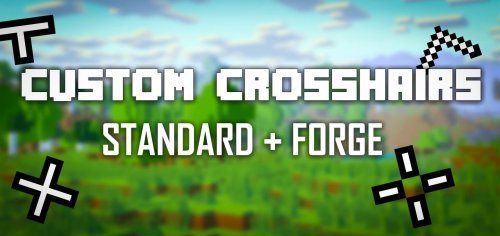
Custom Crosshairs is a texture pack that swaps out Minecraft's default crosshair for your choice of over 20 different designs. Created by Mod MCPE, it's one of the best MCPE addons for players who want a quick visual refresh without touching gameplay mechanics or eating up device resources.
The pack comes in two versions with distinct crosshair styles, giving you flexibility depending on your preference and how other texture packs layer on top of it. If you spend half your playtime aiming at mobs or lining up block placements, changing your crosshair might sound minor, but it genuinely changes how the center of your screen feels.
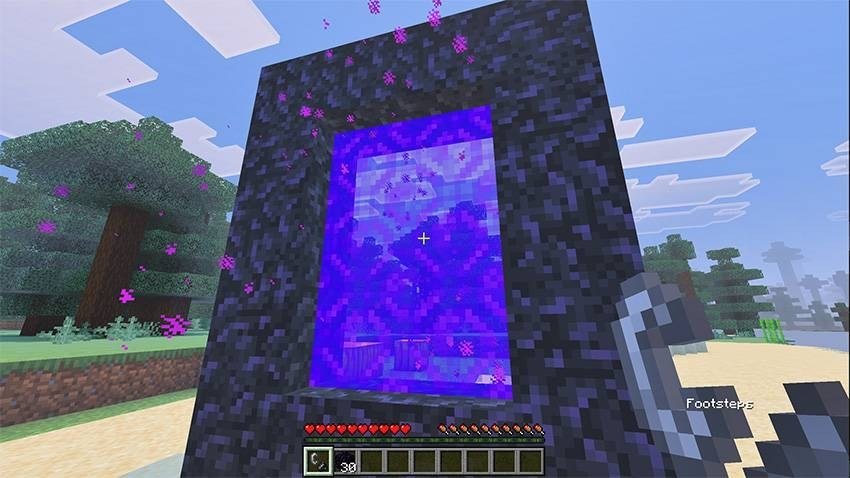
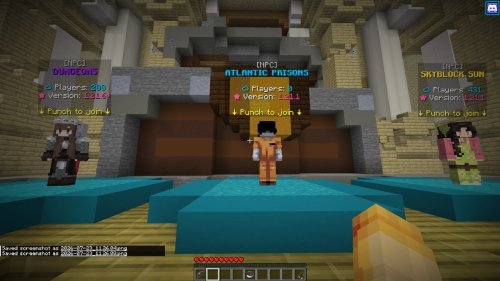
Photos by Mod MCPE
What you're actually getting
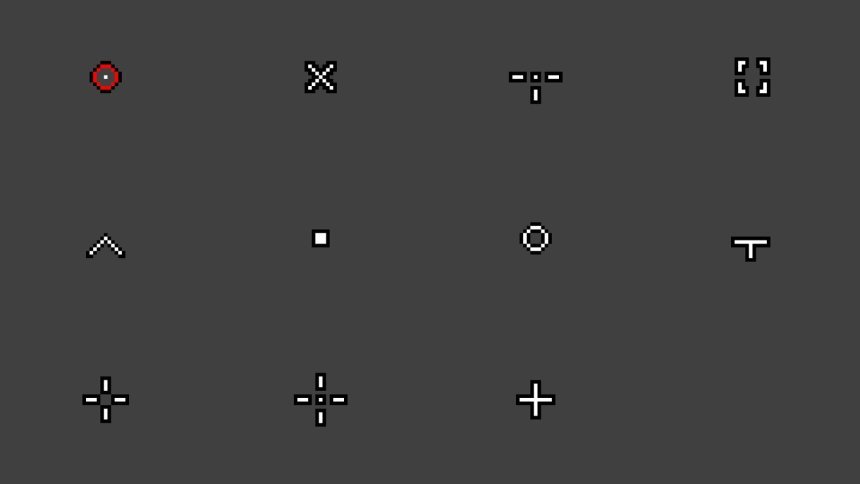
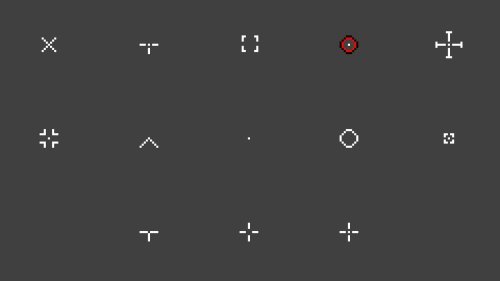
This pack is focused and single-purpose, not a massive overhaul. The standard version gives you 13 monochromatic crosshair options, mostly white designs with one red-blue variant mixed in. The Forge version pivots to a different aesthetic, offering 11 crosshairs that all feature black borders around the design.
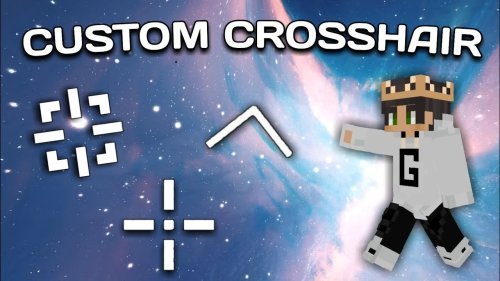
Across both versions, you'll find crosshair variants with and without center dots, plus square-shaped options if the traditional reticle doesn't appeal to you. The variety is enough that you can match your crosshair to your mood or to whatever texture pack you're currently running.
Performance and compatibility
One of the smartest things about this pack is that it doesn't bog down your device. A texture pack that only changes the crosshair has virtually no impact on FPS or RAM usage. You're modifying a tiny UI element, not reprocessing thousands of block textures or entity models.
Compatibility with other texture packs is straightforward if you follow one rule: place this pack at the top of your resource pack priority list. Since it only touches the crosshair, other packs won't conflict with it, but you need to make sure nothing else overrides this specific asset. Bedrock's resource pack system respects load order, so position matters.
The pack works across all Bedrock platforms: Windows, Android, and iOS. You can play on a phone, tablet, or desktop and have access to the crosshair options.
Two distinct versions compared
The standard version skews minimal. Thin white lines with simple geometry. If you prefer clean aesthetics and visibility against most block colors, this is the safer pick. The single red-blue variant gives you a way to test a bolder color choice without committing to a full pack redesign.
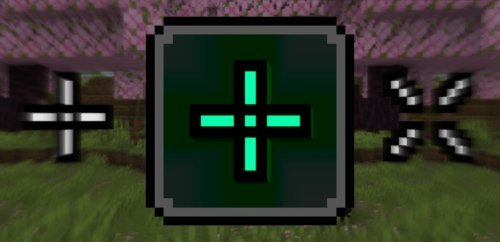
The Forge version takes a different approach. Black borders around each crosshair design add definition and make the reticle pop more against bright backgrounds. You lose one option numerically (11 versus 13), but the border treatment changes the entire visual feel. Some players find bordered crosshairs easier to track during combat.
Installation on Bedrock Edition
Setting up the pack requires a couple of correct steps. You need to place it in your Global resources folder, not your world-specific resources. On Windows 10/11, that's typically in your AppData folder. On mobile, the path depends on your device, but Bedrock Manager (a companion app) simplifies this if you want to avoid manual file navigation.
After installation, launch Minecraft and go to your world settings. Select the Custom Crosshairs pack from your active resource packs list and move it to the top. Save and load into your world. The crosshair should change immediately.
If you're using multiple texture packs, the order matters more than usual here. Test your crosshair in-game and adjust if needed. Some players forget this step and wonder why their custom crosshair doesn't show up, so double-check the active pack list.
Who should try this addon
This pack is for anyone who stares at the center of their screen constantly. PvP players, builders trying to line up precise placements, and people who just want their interface to feel less vanilla. The barrier to trying it is low. It installs cleanly, doesn't slow anything down, and you can swap back to the default crosshair in seconds if you hate it.
It's also useful if you're creating Minecraft video content and want your footage to look slightly different from the default game. The pack is lightweight enough that it won't distract viewers from what matters, but it adds a small layer of polish.
Why this is one of the best minecraft addons right now
A lot of popular Bedrock addons do massive things: new mobs, new dimensions, new mechanics. Those packs are impressive, but they demand resources and attention. The Custom Crosshairs pack does one thing and does it well. It respects your device performance. It layers cleanly with other packs. It gives you real choice between aesthetically different designs.
For best minecraft addons 2026, this proves you don't need complexity to be useful. Sometimes the simplest quality-of-life improvement is the one you reach for every single day.
Frequently asked questions
Can I use custom crosshairs with other texture packs?
Yes. Place this pack at the top of your resource pack list so other packs don't override it. Since it only modifies the crosshair UI element, there should be no visual conflicts with other texture packs.
What's the difference between the standard and Forge versions?
The standard version includes 13 monochromatic crosshairs, mostly white. The Forge version includes 11 crosshairs with black borders around each design, giving them more definition. Choose based on whether you prefer minimal or bordered aesthetics.
Does this addon affect performance on mobile devices?
No. A crosshair texture pack has virtually no impact on FPS or RAM usage. It only replaces a tiny UI element, so even older phones and tablets run it smoothly.
Is the Custom Crosshairs pack free to use in videos?
Creator Mod MCPE allows video content creation with proper attribution. If you plan to use it in a project, credits are required. For commercial or non-standard use, contact the creator via Discord for explicit permission.
Share
What's Your Reaction?
 Like
0
Like
0
 Dislike
0
Dislike
0
 Love
0
Love
0
 Funny
0
Funny
0
 Angry
0
Angry
0
 Sad
0
Sad
0
 Wow
0
Wow
0