LModel: Best Minecraft Addons for Articulated Player Models
LModel is a Minecraft Bedrock addon that adds articulated limbs to player models for smoother, more natural animations. Works with both skin types.

Created by Levyyc
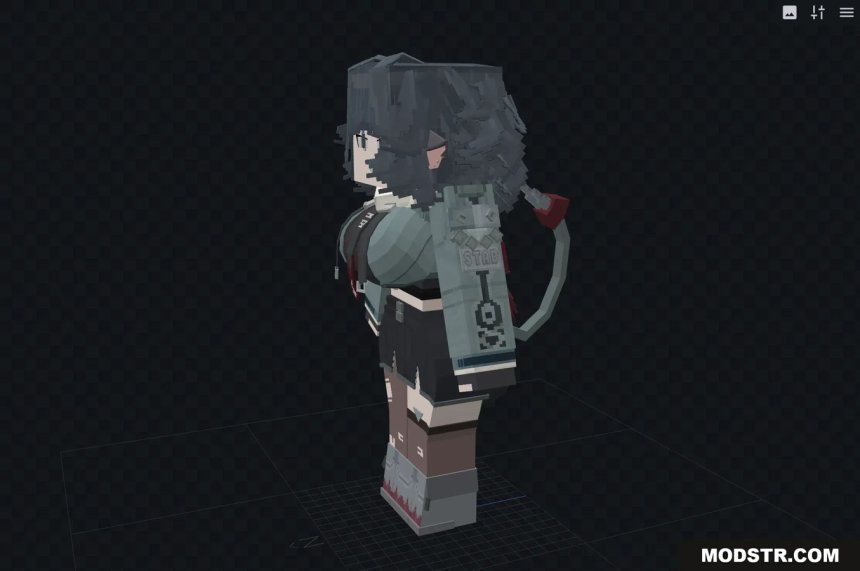
LModel is a Minecraft Bedrock addon that overhauls how player models animate by adding articulation points to your arms and legs. Instead of moving as rigid blocks, your character's limbs now bend and flex at joints, creating animations that actually look like a person moving rather than a wooden puppet.
If you've ever noticed that default Minecraft player animations feel stiff or unrealistic, LModel addresses that problem directly. It's built by Levyyc as both a finished addon and a reusable component for other developers, which means it works standalone but also gets better over time as the community builds on it.
What makes LModel different from other Minecraft addons
Most of the best Minecraft addons focus on adding new blocks, mobs, or gameplay mechanics. LModel takes a different approach by targeting the foundation of how you look and move in the game. This is surprisingly rare in the addon space because modifying the player model requires careful work to keep animations fluid.
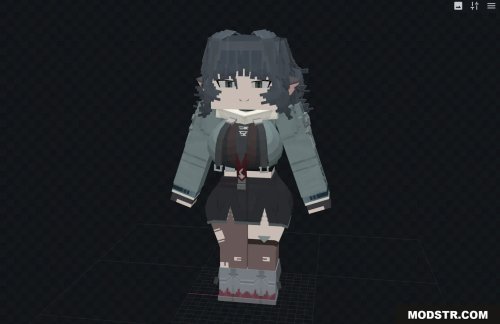
The addon works with both the wide and slim player model variants, so it doesn't force you to choose between your preferred skin style and better animations. That flexibility matters if you've been using the same character model for years.
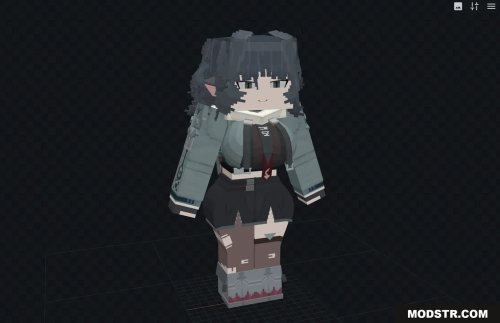
How articulated limbs change your gameplay in Bedrock
When you install this addon, movement stops looking robotic. Your arms bend at the elbows during combat. Your legs flex at the knees when you walk, sprint, or sneak. These changes are subtle but noticeable, especially if you play in first-person view or watch yourself in mirrors or water.
The animations feel more grounded in reality without becoming over-animated or cartoonish. Your character maintains the blocky Minecraft aesthetic while moving in ways that match how actual limbs work.
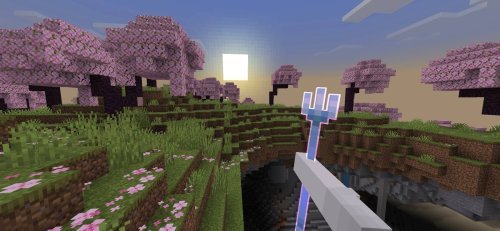
Who should try this addon
LModel works best for players who care about character animation and visual polish. If you primarily play vanilla Minecraft and rarely think about how your character moves, you probably won't notice or care about this addon.
However, if you're building adventure maps, creating YouTube content, running a server where roleplay or immersion matters, or just want your character to feel more alive, LModel makes a real difference. It's also valuable for addon developers who want to build more sophisticated character systems on top of a solid animation foundation.
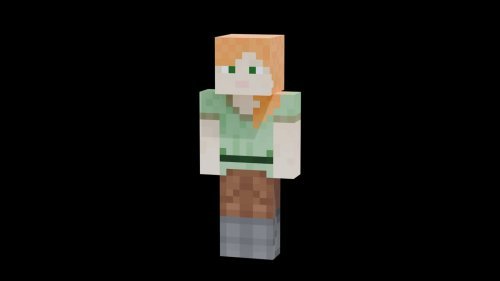
Key features of LModel
- Articulated arms and legs with bending joints for realistic movement
- Support for both wide and slim player model types
- Smoother animation sequences compared to default Minecraft models
- Built as a reusable component that other addon creators can integrate
- More varied character poses and expressions during different actions
How to install LModel on Bedrock Edition
LModel installs like any standard addon for Minecraft Bedrock. Download the .mcpack file and open it in your game. Bedrock will recognize it as an addon and ask which world or realm you want to apply it to. Once you activate it, the changes take effect immediately.
No resource packs or behavior pack conflicts should arise with most other addons, though like any mod that touches player models, test it with your other installed addons to be safe. If you run into animation glitches, try disabling any other animation-modifying addons temporarily to isolate the issue.
FAQs about player model addons for Minecraft
Will LModel work with my custom skin?
Yes. LModel works with both wide and slim skins, so whatever character model you're using will get the articulated animation improvements without needing to change your skin.
Does this addon affect performance or FPS in Minecraft MCPE?
Animation improvements in Bedrock are typically lightweight because the game is already rendering your character. You shouldn't see a noticeable FPS drop, though performance depends on your device and other addons you're running together.
Can addon developers use LModel in their own projects?
Yes. Levyyc designed LModel as a reusable component specifically so other creators can build on top of it. If you're developing a custom adventure map or complex addon, LModel can serve as the animation foundation.
What's the difference between best Minecraft addons and best MCPE addons?
Minecraft Bedrock Edition runs on MCPE (Minecraft Pocket Edition), Windows 10/11, consoles, and other platforms. LModel works across all of these as long as you're on Bedrock. "Best Minecraft addons 2026" and "best MCPE addons" refer to the same addon ecosystem.
Share
What's Your Reaction?
 Like
0
Like
0
 Dislike
0
Dislike
0
 Love
0
Love
0
 Funny
0
Funny
0
 Angry
0
Angry
0
 Sad
0
Sad
0
 Wow
0
Wow
0