Realistic Shadows for Minecraft Bedrock: Soft Shadows Guide
Add realistic shadows to Minecraft Bedrock with this soft shadow shader addon for Vibrant Visuals. Full HD quality shadows for MCPE and Windows 10/11.


Created by Yeszio
Realistic Shadows is a shader addon designed by Yeszio that replaces Minecraft Bedrock's blocky, pixelated shadows with soft, realistic shadow rendering. If you've been using Vibrant Visuals and felt that the shadow quality didn't match the rest of the visual upgrades, this pack directly addresses that gap.
The pack works as an enhancement layer on top of Vibrant Visuals, bringing shadow quality up to full HD standards. It's for players who want their worlds to look more natural and less like a collection of flat, harsh lines underneath their builds.
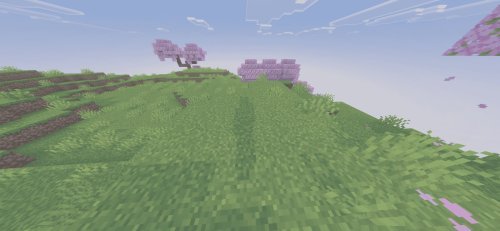
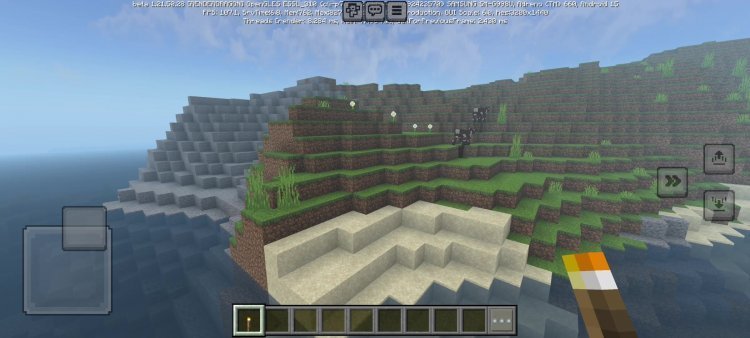
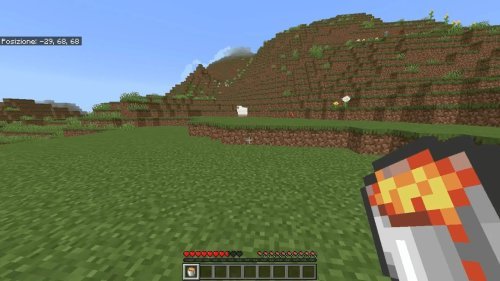
Photos by Yeszio
What makes realistic shadows matter in Minecraft
Shadows are one of those details that sit in the background of your vision, but they change everything about how a scene reads. Default Minecraft shadows are rendered as simple, low-resolution blocks of darkness. They don't soften or spread based on light distance. They don't follow the contours of the terrain. Because of this, even when you're playing with other visual upgrades, the game world can feel flat or plasticky.
Realistic shadows solve this by letting light behave more like it does in reality. A shadow from a tree becomes a graduated soft edge instead of a hard line. Shadows from tall structures fall longer in the evening. Water reflects different shadow values. This kind of detail is invisible when it's working right, but the moment you turn it off, the whole scene looks wrong.

How realistic shadows in Minecraft Bedrock actually work
On Bedrock Edition and MCPE, shader packs don't work quite like they do on Java Edition. Bedrock shaders run through the game engine's own rendering pipeline, so they're limited to what the engine allows. Most Bedrock shaders that add shadows are doing one of two things: either dynamically rendering shadow maps from light sources, or pre-computing softer shadow values across the terrain.
This particular pack takes the Vibrant Visuals foundation, which already handles color grading and ambient lighting, and adds a dedicated shadow layer on top. The result is shadows that have depth and softness without tanking your frame rate. The pack supports full HD shadow resolution, which means the shadows themselves are detailed enough that you see the fine edges of blocks and trees instead of just dark blobs.
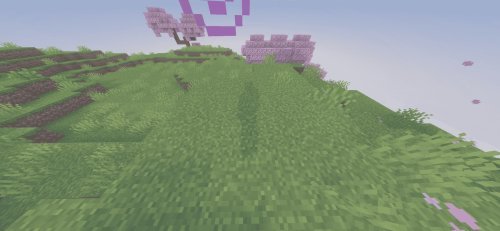
Performance on different devices
Since this pack works alongside Vibrant Visuals rather than as a standalone shader, your device performance depends on your starting point. If Vibrant Visuals runs at 60 FPS on your phone or tablet, adding realistic shadows will drop that somewhat. The amount depends on your hardware.
On high-end Android devices and Windows 11 PCs with decent GPUs, you can expect to keep 50-60 FPS with both shaders active. Mid-range devices might settle at 30-45 FPS. Older phones and tablets may struggle; in those cases, you're better off choosing one or the other. The full HD shadow resolution does add load, but it's proportional to the improvement you see.
If you're on a budget device and performance is your priority, try it with render distance set to 12 chunks or less. That usually helps keep frame rates stable.
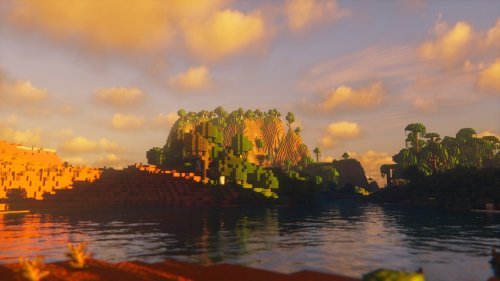
Feature breakdown
- Soft, realistic shadow rendering replacing pixelated block shadows
- Full HD shadow quality for sharp detail on terrain and structures
- Works as a layer on top of Vibrant Visuals shader
- Compatible with Bedrock Edition and MCPE on phones, tablets, and Windows
- Automatic installation via .mcpack file format
Why choose this over other best shaders for Minecraft 2026
When you're shopping for the best shaders for Minecraft 2026, you're usually looking at either all-in-one shader packs or modular systems. All-in-one packs give you everything at once but are heavy on performance. This realistic shadows approach is modular. You get to keep the color and lighting you like from Vibrant Visuals and only layer in shadow improvements.
If you've already invested time tweaking Vibrant Visuals settings to your taste, you don't lose that when you add realistic shadows. You're just filling in what was missing. That makes it a solid choice for players who want the best looking shaders on Bedrock without a complete visual overhaul.
How to install on your world
Installation is straightforward on both Bedrock and MCPE. Download the .mcpack file. Open it directly, and your game will prompt you to import it into Minecraft. Alternatively, use your file manager's share option, select Minecraft, and the pack imports automatically.
Once installed, open any world and go to world settings. Scroll to the resource packs section and add Realistic Shadows to your active packs. Make sure Vibrant Visuals is also active and listed above or below it. The pack will activate on your next respawn.
If you're managing global resource pack settings instead of per-world, the process is identical. Go to settings, find resource packs, and toggle both shaders on.
FAQ
Do I need Vibrant Visuals to use realistic shadows?
Yes. This pack is designed as an addon specifically for Vibrant Visuals. It won't work on its own or with other shader packs.
What's the difference between realistic shadows and normal Bedrock shadows?
Normal Bedrock shadows are low-resolution and blocky. Realistic shadows render at full HD with soft edges that respond to light distance and angle, making the world look more three-dimensional.
Will this work on older versions of Minecraft?
As long as you're on a recent version of Bedrock Edition or MCPE that supports resource packs and Vibrant Visuals, it should work. Older versions may not be compatible with the shader format.
Can I use realistic shadows with other texture packs?
Yes. Shaders layer independently from texture packs, so you can use your favorite block textures at the same time.
Share
What's Your Reaction?
 Like
0
Like
0
 Dislike
0
Dislike
0
 Love
0
Love
0
 Funny
0
Funny
0
 Angry
0
Angry
0
 Sad
0
Sad
0
 Wow
0
Wow
0