Bluekvinks Texture Pack for Minecraft Bedrock PvP
Bluekvinks is a blue-themed texture pack for Minecraft Bedrock designed for PvP. Features custom combat textures and optimized performance for competitive play.

Created by Mcadd182719
Bluekvinks is a texture pack for Minecraft Bedrock Edition built around competitive PvP play. The entire pack revolves around a blue color scheme that carries through weapons, armor, UI elements, and particle effects, all while keeping your frame rate high enough for serious combat.
If you play survival multiplayer servers or realm PvP, this pack was made with your playstyle in mind. It strips away visual noise and replaces key combat elements with cleaner, blue-tinted versions that help you spot enemies and track damage more easily.
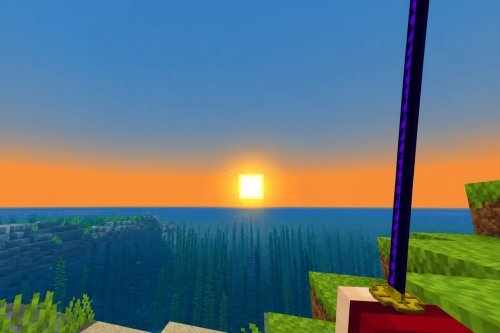
Photos by Mcadd182719
What makes Bluekvinks different from other Bedrock texture packs
Most texture packs for Minecraft Bedrock lean toward fantasy themes or realistic overhauls. Bluekvinks takes the opposite approach. Instead of adding detail or atmosphere, it removes clutter and prioritizes readability in fights.
The blue color palette isn't random either. Blue naturally contrasts with the reds and oranges of fire, the greens of forests, and the flesh tones of mobs. This means when you're in combat, your sword, armor, and particle effects stand out against the background without drowning out environmental awareness.
Performance is baked into the design philosophy. You won't see overly complex textures or 64x64 resolution blocks that tank FPS on lower-end devices. Bluekvinks works on phones, tablets, and older consoles because the creator, Mcadd182719, understood that competitive PvP demands frame stability over visual density.
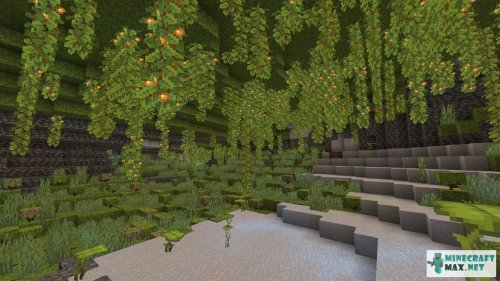
Custom combat textures for better visibility
Here's where Bluekvinks actually changes how you experience PvP:
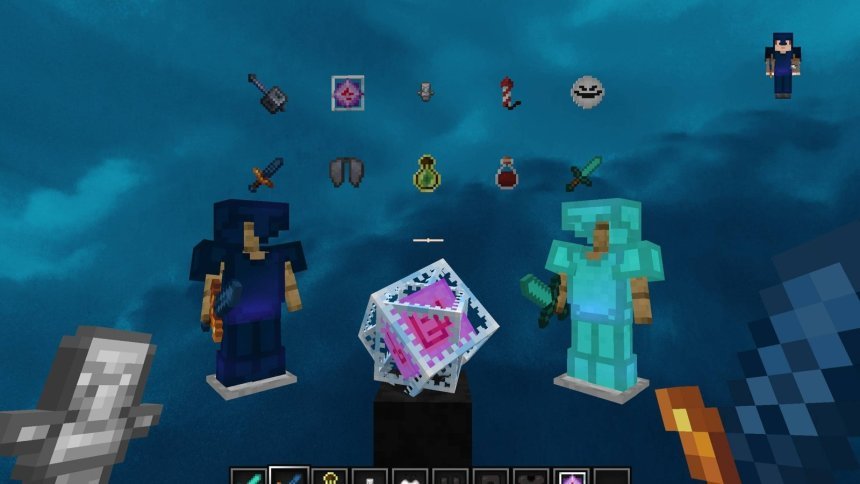
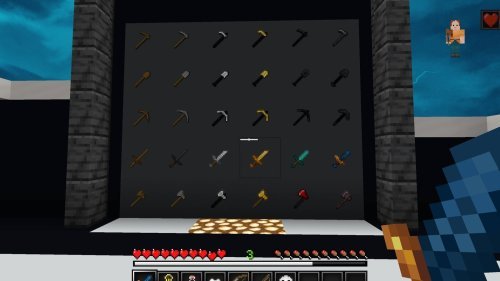
- Swords and axes have distinctive blue designs that make your current weapon unmistakable in your hotbar
- Armor sets (leather, iron, diamond, netherite) receive coordinated blue recoloring so you can identify players and equipment instantly
- Particle effects for hits, magic, and status effects use the blue theme to make combat feedback clearer
- GUI elements like hearts, hunger bars, and hotbar backgrounds align with the blue aesthetic without obscuring important information
- Item textures for potions, food, and tools maintain the theme while staying readable at small scales
When you're trading hits with another player, every frame matters. These texture changes reduce the mental load of scanning your inventory or parsing what just hit you. That fraction of a second saved adds up in close fights.
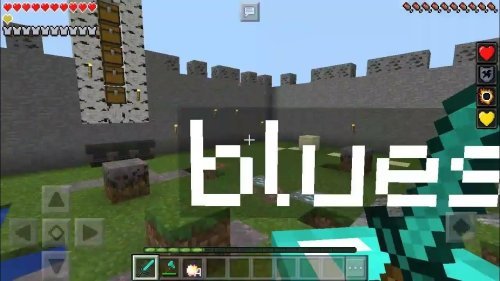
Performance optimization for serious Minecraft Bedrock PvP
A lot of texture packs ignore frame rate. They assume everyone plays on a RTX 4090 or a flagship tablet. Bluekvinks doesn't make that assumption.
The pack is optimized for lightweight performance, meaning it won't tank your FPS on mid-range hardware. Textures are kept at reasonable resolutions, particle counts are managed, and custom effects don't spawn extra rendering overhead. This makes it viable for playing on phones, Nintendo Switch, older iPads, or Windows 10 Mode on Xbox.
For competitive players, consistent frame rates beat flashy visuals every time. A steady 60 FPS on lower settings beats 45 FPS with fancy effects. Bluekvinks understands this trade-off and makes the right choice.
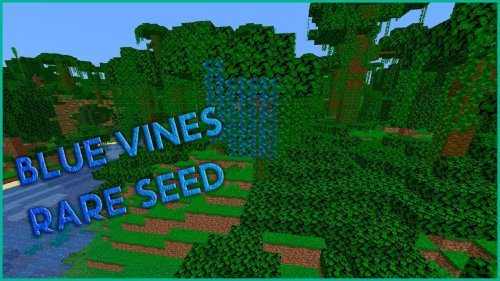
Clean interface design for less distraction
The GUI changes in Bluekvinks aren't decorative. They're functional. Modified interface elements use the blue color scheme but avoid the visual clutter that some packs introduce.
Your inventory, crafting screens, and hotbar should feel responsive and clear. The pack delivers that without making you squint at tiny text or hunt for buttons. It's the kind of design choice that only becomes obvious when you switch back to the default GUI and realize how much screen real estate was being wasted.
Who should use Bluekvinks
This pack is specifically built for players who take Bedrock PvP seriously. If you're grinding faction wars, playing competitive realm tournaments, or just trying to dominate your survival server's PvP arena, Bluekvinks gives you a toolset designed for that context.
Casual players might like the aesthetic, but the real value comes when you're in situations where reaction time matters. The streamlined visuals and combat clarity pay off in those moments.
If you're on lower-end hardware and worried about texture packs tanking your frame rate, this is one of the few packs that was built with your device in mind. Performance shouldn't mean sacrificing good aesthetics.
How to install Bluekvinks on Minecraft Bedrock
Bluekvinks comes as a .mcpack file. The installation process is straightforward on any Bedrock Edition device.
- Download the Bluekvinks pack file to your device
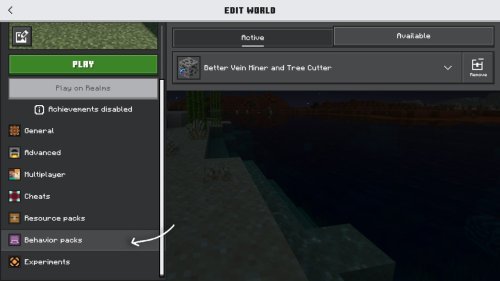
- Open the file with Minecraft (it will prompt automatically, or you can open Minecraft first and import from settings)
- The pack will be added to your resource packs list
- In your world or server settings, activate Bluekvinks and move it to the top of your pack order
- Load your world and confirm the blue theme has applied
On some devices like phones or Switch, you may need to use the file manager to locate the downloaded file. The process is the same, just with an extra navigation step.
Common questions about Bluekvinks
Does Bluekvinks work on all Minecraft Bedrock devices?
Yes. It's optimized to run on phones, tablets, console, and Windows. The pack was built with performance in mind, so even older devices should handle it without major FPS loss.
Can I use Bluekvinks with other texture packs?
You can layer multiple packs in your resource pack list. However, if another pack modifies the same textures, whichever pack is higher in the list will take priority. For best results, keep Bluekvinks at the top if you want the full blue aesthetic intact.
Is Bluekvinks better for PvP than the default textures?
It depends on your setup. The cleaner combat visuals and reduced clutter help most players. However, if you're already comfortable with default textures and have strong game sense, the difference is mostly preference. The real benefit appears when you're learning or playing on unfamiliar servers.
Will Bluekvinks affect my performance on lower-end devices?
The pack was specifically optimized to avoid performance hits. It should run smoothly on most hardware. If you do notice FPS drops, try lowering other in-game settings like render distance or particle effects.
Share
What's Your Reaction?
 Like
0
Like
0
 Dislike
0
Dislike
0
 Love
0
Love
0
 Funny
0
Funny
0
 Angry
0
Angry
0
 Sad
0
Sad
0
 Wow
0
Wow
0