Best Shaders for Minecraft PE 2026: Eclipse RTX Review
Eclipse RTX is a top shader pack for Minecraft Bedrock with dynamic lighting, realistic water, and three performance presets. Works on Android, iOS, and Windows.

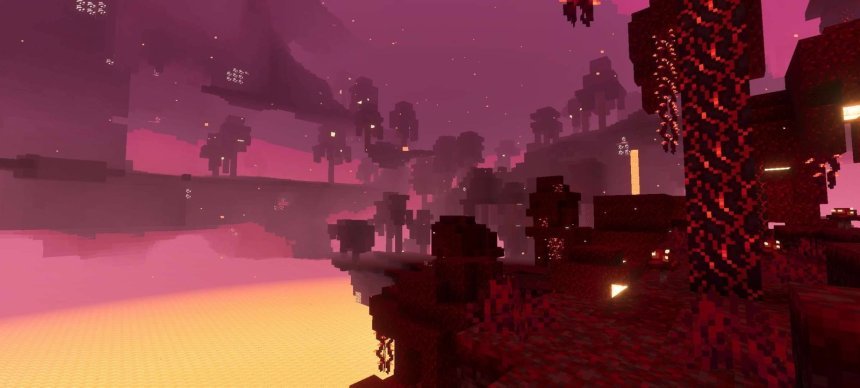
Created by PrabhatPie
Eclipse RTX is a shader pack built for Minecraft Bedrock Edition that upgrades your world's visuals without tanking your frame rate. It's one of the best shaders for Minecraft PE right now because it balances real-looking lighting, water, and atmospheric effects against the actual hardware you're playing on.
Created by PrabhatPie, Eclipse RTX runs on the RenderDragon renderer and works across Android, iOS, and Windows devices. If you've been wondering whether you can get shaders on Minecraft PE, the answer is yes, and this pack is a solid entry point that doesn't require a top-tier phone to look good.
What Eclipse RTX actually changes in your world
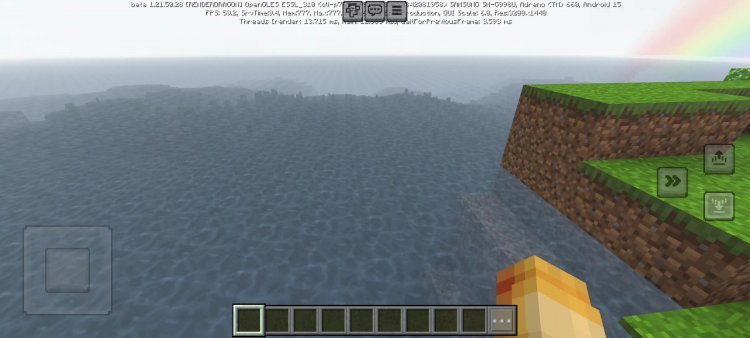
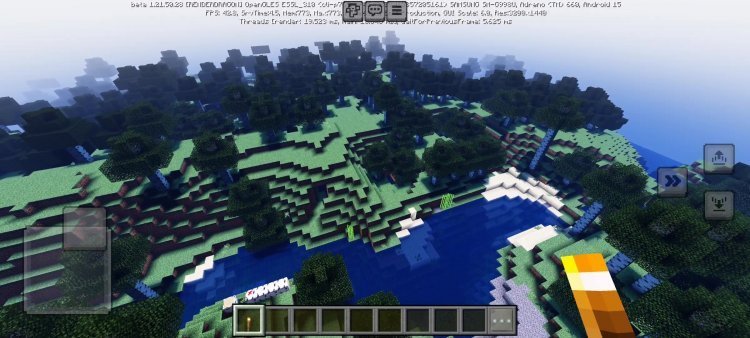
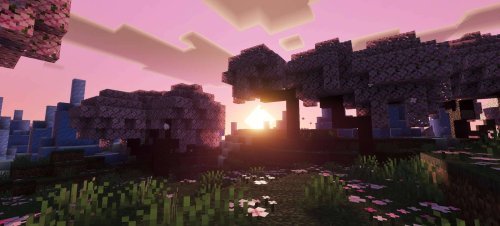
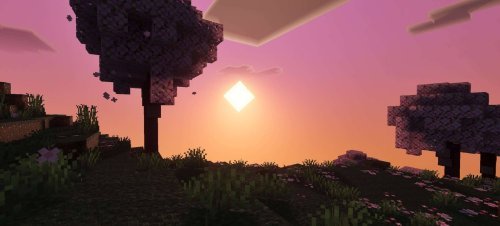
Most shader packs for Minecraft Bedrock focus on one or two visual elements. Eclipse RTX touches almost everything. The sunlight now shifts and bounces differently depending on time of day and where you're standing. Moonlight comes through at night with actual color and direction instead of just brightening the scene uniformly. Water reflects the sky and refracts light in ways that make it look like water instead of a flat blue texture.
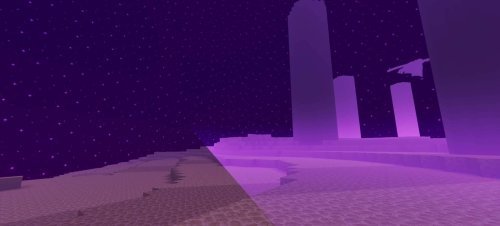
The clouds have more shape and depth. The sky itself transitions through more color bands at sunrise and sunset. Fog layers in caves and outdoor areas add distance and atmosphere without making it impossible to see. The Nether doesn't look like you're staring into a red fog bank anymore, and the End gets similar treatment with better color separation between blocks and sky.
None of this requires you to install mods or tweaks outside Minecraft itself. It's a resource pack and shader combo built for the way Bedrock Edition works on mobile and console.
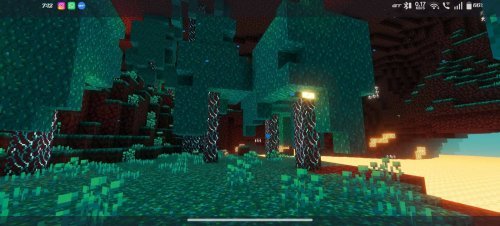
Photos by PrabhatPie
Performance presets: find what works for your device
Eclipse RTX includes three performance tiers, which is the smart way to ship shaders for phones. The Lite preset runs on older or budget Android devices without dropping to unplayable frame rates. The Balanced option targets mid-range phones and Windows tablets, hitting a good spot between looks and smoothness. Ultra is for newer flagships and high-end Windows PCs.
You choose which preset when you first enable the pack. If you try Balanced and get stutter, switch to Lite and restart the world. If Lite looks choppy but Balanced runs fine, bump up to Ultra. This flexibility is why Eclipse RTX remains one of the best looking shaders for Minecraft PE across different device types.
How Eclipse RTX stacks up against other top shaders
A lot of shader packs for Minecraft Bedrock either look amazing and lag, or run well and look generic. Eclipse RTX aims for the overlap. Compared to pure performance packs, it adds noticeable visual detail. Compared to ultra-realistic shaders designed for desktop Java Edition, it's more restrained, but that's on purpose.
The water visuals are the biggest draw. If you've been playing vanilla MCPE, the difference in water alone might surprise you. The dynamic lighting from sunlight and torches is also well-tuned, not so bright that it drowns out detail and not so subtle that it makes no difference.
For iOS players especially, Eclipse RTX is one of the few shader packs that actually performs, since iOS hardware often struggles more than Android with heavy rendering effects. The same goes for Windows 10/11 players on laptops. This pack doesn't assume you have a gaming PC.
Installation and getting started
Installing Eclipse RTX is a straightforward process if you've done it before, though it has one dependency to keep in mind.
- Download the Eclipse RTX pack (a .mcpack or .zip file depending on your device).
- Also download Vibrant Visuals, which Eclipse RTX needs to function properly.
- Open both files in Minecraft. They'll import automatically.
- Launch a world and go into settings. Enable the resource pack and shader.
- Choose your performance preset based on your device type.
- Restart the world to load everything in.
Android and Windows installations use .mcpack files, which Minecraft opens directly. iOS requires you to unzip the file and open it in the app differently, but the steps are the same once the pack is imported. Give it a minute to compile shaders the first time you load a world.
What makes Eclipse RTX worth trying
Minecraft Bedrock often gets overlooked in the shader world compared to Java Edition, which has endless mod options. But Bedrock runs on phones, and there aren't many shaders that acknowledge that reality instead of just chasing desktop-quality graphics. Eclipse RTX is built for cross-platform play on actual consumer hardware.
The creator has also locked down the pack to prevent reuploads and unauthorized resale, which means you know you're getting the real, updated version from a developer who actively maintains it. That matters for stability and future compatibility as Minecraft updates roll out.
If you play Bedrock on Android, Windows, or iOS and want to see what modern shaders can do without buying a new device, Eclipse RTX is one of the best shader packs for Minecraft 2026 that actually works on the hardware most people own.
Frequently asked questions
Can you get shaders on Minecraft PE?
Yes. Minecraft PE (Bedrock Edition) supports shaders through resource packs on Android, iOS, and Windows. You download the pack, import it into Minecraft, and enable it in world settings. Eclipse RTX is one of the most popular options because it doesn't require extreme hardware.
What are the most realistic shaders for Minecraft PE?
Eclipse RTX is among the top choices for realistic visuals on Bedrock. It focuses on dynamic lighting, water reflection, and atmospheric effects rather than trying to turn Minecraft into a photo. Other packs exist, but few balance realism with the playability that mid-range phones actually need.
Do I need a high-end phone to use Eclipse RTX?
No. The Lite preset runs on older devices, and Balanced works well on mid-range phones from the last few years. Even the Ultra preset is less demanding than many other Bedrock shaders because the pack is optimized for mobile performance from the ground up.
Is Eclipse RTX the same thing as a resource pack?
It's both. Eclipse RTX includes a resource pack (textures and models) and a shader (rendering rules). You need both enabled for the full effect. The dependency on Vibrant Visuals is also technically a resource pack that provides additional visual assets.
Share
What's Your Reaction?
 Like
0
Like
0
 Dislike
0
Dislike
0
 Love
0
Love
0
 Funny
0
Funny
0
 Angry
0
Angry
0
 Sad
0
Sad
0
 Wow
0
Wow
0