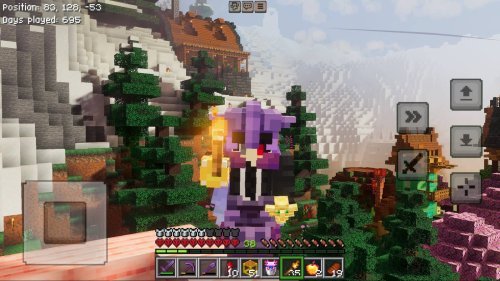
Universal Pack for Minecraft Bedrock – All-in-One Shader Experience
Download the Universal Pack Shader for Minecraft Bedrock Edition, the all-in-one shader that blends realistic lighting, clean skies, smooth water, and stable performance into one easy install. Designed for every device, it adjusts automatically to keep your world beautiful and lag-free.

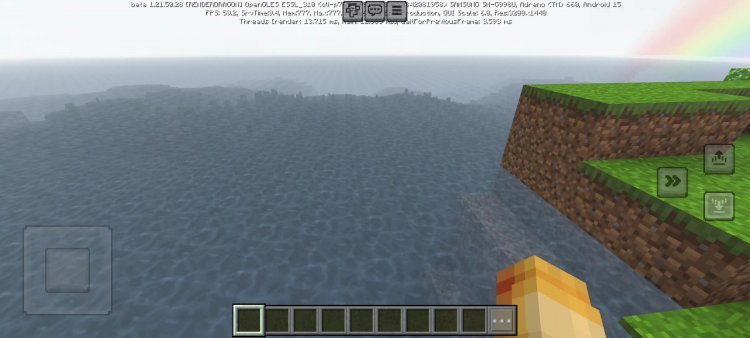
The Universal Pack Shader is built to be the only shader you’ll ever need for Minecraft Bedrock. It combines realistic lighting, clean colors, and smooth reflections while staying stable across phones, tablets, and PCs. No matter your device, this shader adjusts itself to give you the best visuals your system can handle without hurting performance. It’s the perfect balance between beauty and speed, made for players who want Minecraft to look amazing but still run smoothly.
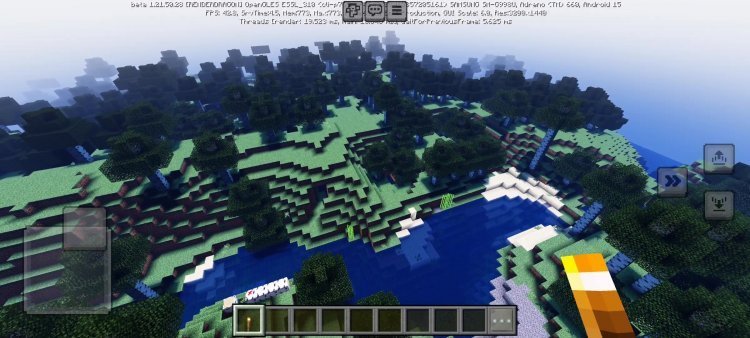
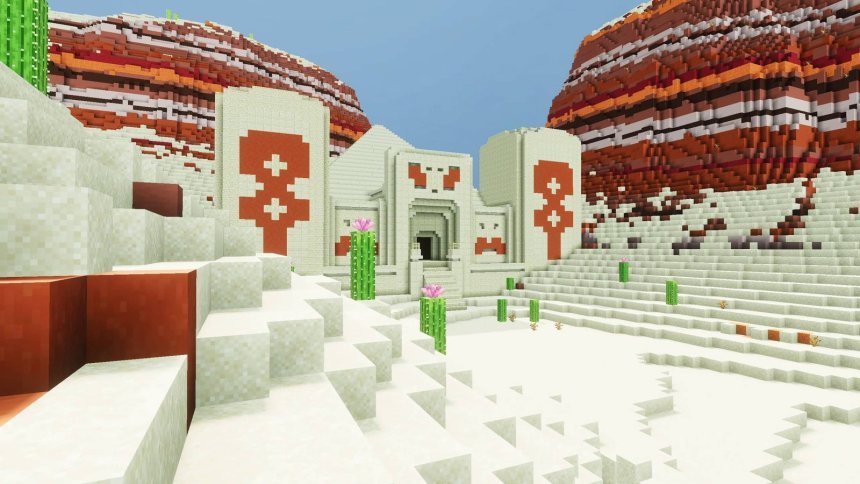
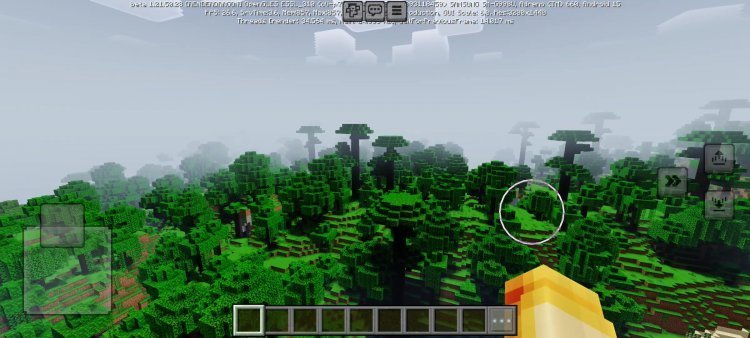
When you install the Universal Pack, you’ll see right away how polished it feels. The world lights up with natural daylight, clean shadows, and soft reflections on every surface. The shader was made to enhance the original Minecraft look instead of changing it completely. Trees, grass, and water all look brighter and smoother, and your builds stand out more under realistic sunlight. The lighting is warm and colorful, but not too saturated, making the game easier on the eyes during long sessions.
One of the best features of the Universal Pack is its adaptive visual profiles. You can choose from several preset modes like ultra-low, medium, high, and ultra-high. The shader can even detect your system strength and adjust automatically to match it. Players on lower-end phones can pick the lightweight mode for smooth gameplay, while those on PCs or gaming tablets can turn on cinematic settings for maximum detail. This flexibility makes it one of the most accessible shaders out there — it works for everyone.
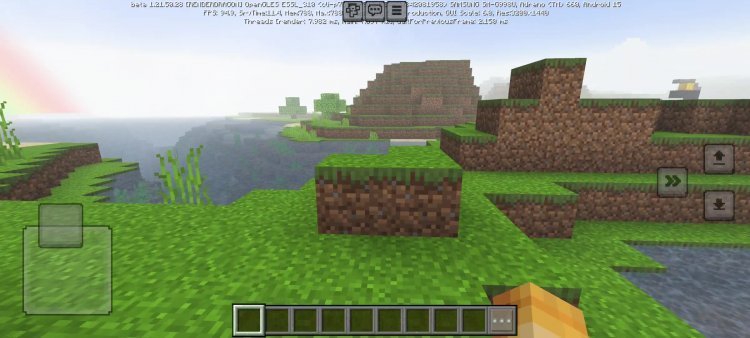
The lighting system in Universal Pack is both realistic and balanced. The sunlight spreads gently across the land, with soft shadows forming under trees and structures. It doesn’t make the game too bright or too dark, keeping colors consistent and clear. During the day, you get a clean, vibrant look without glare, and at night, the lighting stays visible enough to explore without using too many torches. The transition between day and night feels smooth and natural, giving your world a relaxing, cinematic tone.
The color depth has been tuned carefully to avoid the problems that many shaders have. Some shaders make everything look too bright or too dim, but Universal Pack stays true to the original game’s colors while adding just enough contrast to make everything stand out. Grass looks greener, sand looks warmer, and the sky feels open and bright. Builders and explorers will appreciate how this shader keeps the world beautiful without making it look fake or oversaturated.
Water effects are another highlight of this pack. The animation is smooth and clear, with gentle ripples that reflect the sunlight. It’s not too reflective or heavy, so it won’t slow down your gameplay. The shader also adds soft wave movements to give rivers, oceans, and ponds a natural appearance. Whether you’re building on the beach, sailing across the ocean, or farming near a lake, the reflections add life to your world without straining your GPU.
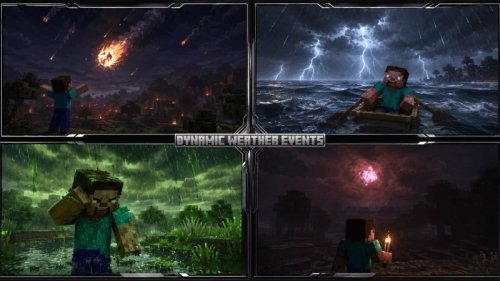
The skybox is one of the most noticeable upgrades. The Universal Pack adds moving clouds, clean sun flares, and bright moonlight that shifts naturally through the night. Rain and fog events look much more realistic but stay mild enough not to distract from gameplay. The sunrises and sunsets glow with warm colors that make every world feel cinematic, while nighttime brings a calm, starry sky that feels peaceful and immersive.
What makes this shader stand out is its stability across all kinds of devices. It was tested on everything from 2GB Android phones to gaming laptops, and it runs smoothly on all of them. The shader adapts its visual effects to avoid lag and overheating, meaning even older devices can use it without issues. For players on mobile or mid-tier hardware, this is a big deal because it means you can finally enjoy a high-quality shader without losing performance.
Installing the Universal Pack is easy. You just download the .mcpack file, open it with Minecraft Bedrock Edition, and go to Settings → Global Resources to activate it. From there, you can select your preferred visual profile and start your world. The shader loads automatically and requires no complicated setup, so you can get right into your game.
For the best results, set your render distance between 8 and 12 chunks. Keep Smooth Lighting turned on for soft shadows, and enable Beautiful Skies to get the full effect of the dynamic clouds and sun flares. You can leave Fancy Graphics on or off depending on how powerful your device is. Set your brightness to around 70% for the most natural colors. These settings help the shader look its best while keeping your frame rate steady.
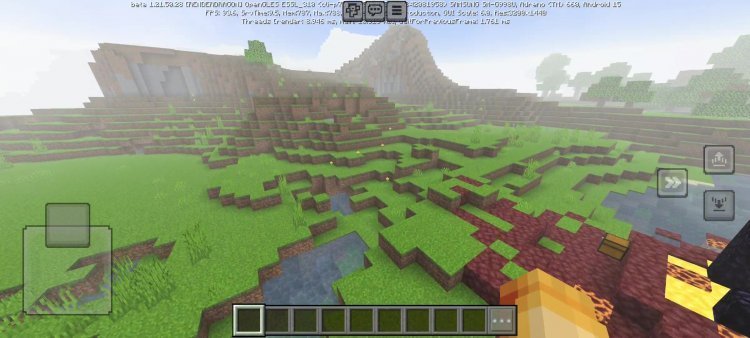
The Universal Pack works great for every type of Minecraft player. Builders love the cinematic lighting and reflections that make screenshots and videos look amazing. Survival players appreciate the clarity and clean visuals that make exploring and mining easier. Mobile players like how it automatically balances performance, so there’s no lag even on budget devices. It’s also a great choice for content creators who want their worlds to look professional without needing heavy post-editing.
Players have shared a lot of positive feedback about the Universal Pack Shader. Many say it’s the only shader they use now because it works on every device they own. Some mention how smooth the gameplay feels even with all the effects running. Others love how the lighting and colors make their builds look natural and sharp. One player said, “It’s the first shader that looks great and doesn’t kill my FPS.” That’s exactly what this pack was designed for — balance.
The Universal Pack is completely free to download and use. It works on all current Minecraft Bedrock versions and is regularly updated to stay compatible with future releases. It’s also safe for multiplayer since it only affects how your world looks on your device. You can even use it with texture packs, and it blends nicely with both default and high-resolution textures.
The shader’s goal is simple: to give players a beautiful world no matter what device they use. Instead of choosing between looks and speed, you can have both. The adaptive system lets you enjoy a cinematic world on high settings or smooth performance on lighter profiles. It’s perfect for anyone who wants to keep things easy while getting the best visuals possible.
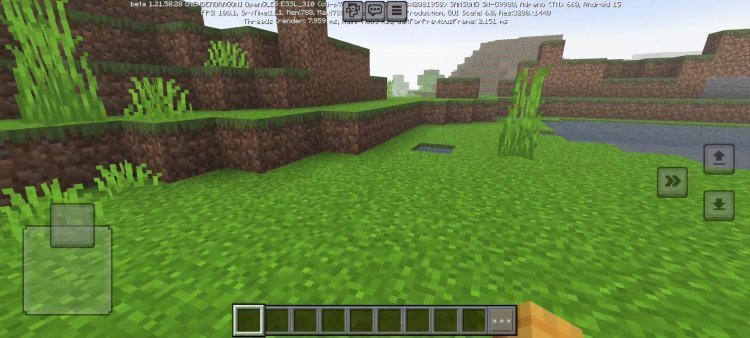
In the end, the Universal Pack Shader stands out because it’s flexible, simple, and reliable. It doesn’t just make Minecraft look better — it makes it feel better to play. The balanced lighting, clean skies, and smooth reflections bring out the best version of the game while keeping everything running fast. If you’ve ever wanted one shader that does it all, the Universal Pack Shader is exactly what you’re looking for. It’s the all-in-one visual upgrade that every Minecraft Bedrock player should try.
Share
What's Your Reaction?
 Like
0
Like
0
 Dislike
0
Dislike
0
 Love
0
Love
0
 Funny
0
Funny
0
 Angry
0
Angry
0
 Sad
0
Sad
0
 Wow
0
Wow
0