Best Minecraft Addons 2026: Javaify Bedrock Review
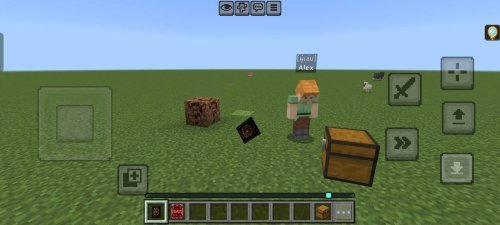
Javaify Bedrock brings Java Edition mechanics to MCPE. Java combat, skeleton behavior, faster healing, and offhand swapping. Beta addon for Bedrock players.

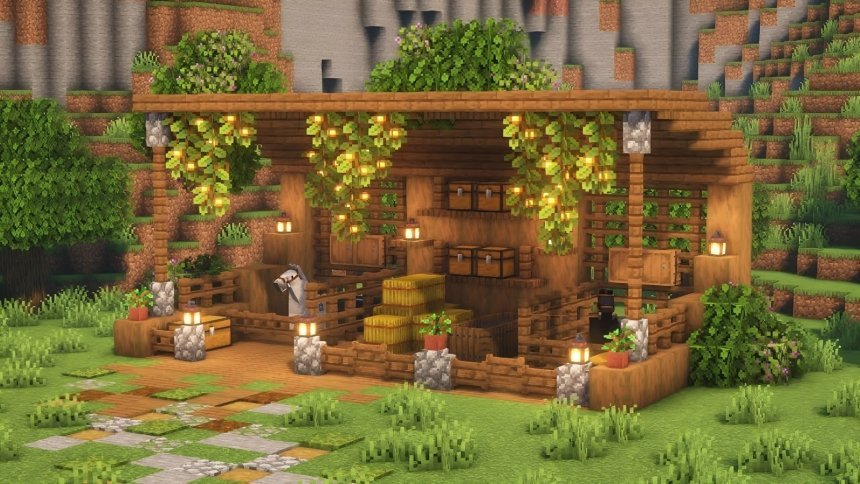
Created by Maceyoa
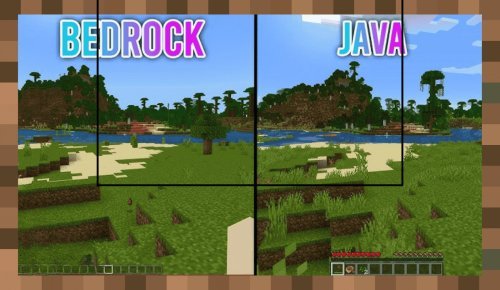
Javaify Bedrock is an addon that ports Java Edition gameplay mechanics over to Bedrock Edition. If you play on MCPE and have always envied Java players' combat system, skeleton behavior, and animation polish, this addon narrows that gap significantly.
The addon was created by Maceyoa and currently runs as a beta version. It's worth trying if you're curious about how Java Edition feels on mobile or console, or if you prefer Java's mechanical depth over Bedrock's defaults.
What makes Java Edition combat different
Bedrock and Java handle combat differently at a fundamental level. Java rewards timing and precision. You need to wait for your attack cooldown to reset, watch for that brief moment when your sword glows, and land hits during a narrow window. Bedrock lets you mash buttons faster but with less skill involved.
Javaify Bedrock recreates Java's combat system inside Bedrock Edition. Your sword attacks have cooldown timers again. Your damage output depends on hitting targets when your weapon is ready, not how fast you can tap. If you've played Java and switched to Bedrock, this change alone makes combat feel like home again.
Skeleton behavior and bow mechanics that matter
Skeletons behave differently across the two editions. Java skeletons move and aim differently. Their bow animations play out at a different pace, and they hold their arrows longer before releasing. These small differences add up when you're trying to kite a mob or predict where an arrow lands.
Javaify Bedrock ports those skeleton behaviors to your world. Skeletons now behave like their Java counterparts, including their bow animation speed. If you've built bow-based mob farms optimized for Bedrock skeletons, this will change your rates. If you're just exploring and want authentic Java gameplay, the behavior difference makes combat feel more familiar.
Faster health regeneration like Java
Healing is slower in Bedrock by default. Your hunger bar refills, and then you wait for health to tick back up. Java Edition's hunger-to-health conversion is faster. You feel it most during early-game situations where recovery matters, like after a creeper explosion or fall damage.
This addon speeds up your health regeneration to match Java Edition's values. You won't notice it in relaxed survival mode, but in combat or dangerous situations, you'll recover health quicker. It's a small quality-of-life change that makes surviving harder situations feel less punishing.
Offhand swapping with the sneak button
Java Edition players use the F key to swap between their main hand and offhand items. Bedrock doesn't have an offhand swap mechanic built in. Javaify Bedrock adds this through a triple-sneak input. You press your sneak button three times in a row to swap items.
This is useful if you want to hold a shield in your offhand while your main hand holds a sword, then quickly swap to a bow and arrows in your offhand without breaking your rhythm. On touch controls, this takes some practice. On controller, it's smoother. The triple-tap prevents accidental swaps, which is good design.
Custom animations and bunny models
The addon includes custom item animations and custom bunny models. The bunny models replace the default rabbit look with new designs. Custom item animations affect how tools, weapons, and other items appear in your hand and when you use them. These changes are visual only, but they make the world look closer to Java Edition's style.
Maceyoa incorporated assets and animations from other community creators to build these elements. You'll see credit in the addon's metadata. The visual polish completes the Java Edition feel.
Feature breakdown at a glance
- Java-style sword and weapon cooldown system
- Skeleton behavior matching Java Edition, including bow draw speed and hold time
- Faster hunger-to-health regeneration conversion
- Offhand item swapping triggered by pressing sneak three times
- Custom bunny models replacing default rabbit appearance
- Custom item animations for tools and weapons
How to install Javaify Bedrock on your world
Javaify Bedrock comes as an addon file (.mcpack). Download it, then open the file on your device. Minecraft will recognize it and ask where you want to apply it. Select your world or create a new one with the addon enabled. The addon will activate the next time you load that world.
Since this is a beta version, it's worth creating a test world first rather than applying it to a long-running survival save. Test your mob farms, combat feel, and custom animations before committing.
Is Javaify Bedrock right for you
This addon is for players who prefer Java Edition's mechanics or who play on both editions and want consistency. Console players and mobile gamers who never tried Java but are curious about the differences will also find value here.
You probably don't need it if Bedrock Edition's defaults already feel right to you, or if you only play Bedrock casually. The addon changes how mobs behave and how combat works, so it's not invisible. Performance impact is minimal, but expect a small difference.
Common questions about Javaify Bedrock addon
Does Javaify Bedrock work on multiplayer servers?
Addons work on your local world first. For multiplayer, every player needs to install the same addon, and the server itself doesn't need special setup. If you're playing on a public server, check with the owner before applying major mechanic changes like this.
Will this addon break my existing farms and builds?
Farms that rely on specific mob behavior might change output rates. Skeleton-based mob farms will be affected since skeleton AI is different. Your builds themselves won't break, but redstone contraptions involving mobs may need tweaking.
What's the difference between this addon and just playing Java Edition?
This addon brings Java mechanics to Bedrock, but it's not identical. Java Edition is the full game built from scratch. This addon layers Java-like behavior over Bedrock. You get most of the feel without needing to switch editions or buy a different version of the game.
Is Javaify Bedrock still in development?
Yes, it's currently in beta. Updates could change features, and you might encounter bugs. It's stable enough to use in regular worlds, but back up important saves before updating.
Share
What's Your Reaction?
 Like
0
Like
0
 Dislike
0
Dislike
0
 Love
0
Love
0
 Funny
0
Funny
0
 Angry
0
Angry
0
 Sad
0
Sad
0
 Wow
0
Wow
0