Best Minecraft Addons 2026: In Your World Horror Review
In Your World is a psychological horror addon for Minecraft Bedrock that adds supernatural phenomena and atmospheric dread. A hands-on review of this ARG-inspired MCPE addon.

Created by LRGAMES7025
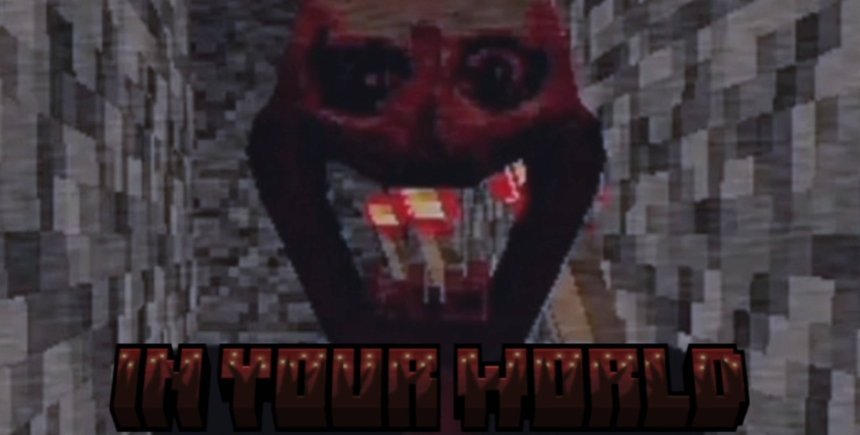
In Your World is a psychological horror addon for Minecraft Bedrock Edition that strips away the game's comfort and fills your world with unexplained dread. Rather than chasing you with new mobs or spawning jump-scares, it plants a presence in your world that you can feel but never fully understand.
Created by LRGAMES7025, this is one of the best Minecraft addons 2026 if you're tired of building cute houses and want your survival world to feel genuinely unsettling. It's designed as an ARG (Alternate Reality Game) experience, meaning there's no quest log, no objectives, no explanation for what's happening. You have your world, and things that don't belong.
Photos by LRGAMES7025
What actually happens in this horror addon
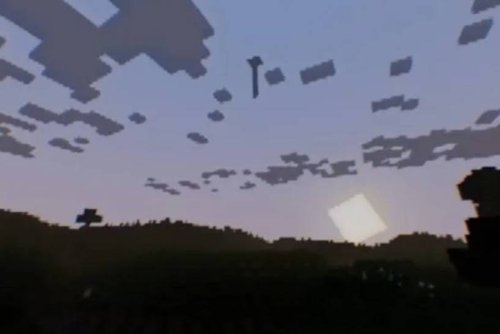
The core of In Your World is subtlety. Structures appear in places you've never built them. A presence moves around your world, changing location in ways you can't predict. Translucent humanoid shapes drift through your terrain. Objects vanish the moment you look directly at them.
None of this is random chaos. Everything feels intentional, which is worse. The addon doesn't flood your screen with jump-scares or aggressive mobs. Instead, it creates the feeling that something is watching your world, and you're not the one in control anymore.
The atmospheric audio layer is critical here. Ambient sounds and unexplained noises play throughout your session. With headphones on and brightness turned down (the developer specifically recommends this), your brain fills in the gaps. You stop thinking about blocks and start thinking about what could be just outside your view distance.

Features that make this MCPE addon different from others
- Mysterious structures manifest in random locations across your world, never in the same place twice
- A sentient presence that repositions itself unpredictably, creating a sense of being hunted without direct danger
- Translucent entities that move through terrain, visible but intangible
- Objects that disappear when you aim your crosshair at them directly
- Layered ambient sound design that builds psychological tension
- Randomized events that play out differently in each world instance
- No quest markers, objectives, or hand-holding explanations
This is a horror addon that actually respects the player's intelligence. It doesn't explain itself. It doesn't offer safety. You discover what's happening through observation and interpretation, and your friends might experience completely different things in their own worlds.

How psychological horror changes your Minecraft experience
Most best Minecraft addons add content: new blocks, new mobs, new things to do. In Your World adds nothing visible. It uses subtraction by atmosphere. Your survival mode becomes something you have to endure rather than enjoy.
The horror works because Minecraft's familiar geometry becomes a canvas for wrongness. You know what a normal world looks like. When something doesn't fit, your brain notices. When a structure appears where you never built it, doubt creeps in. When you see movement in your peripheral vision and turn to find nothing, you question what you actually saw.
Playing with the recommended settings (headphones, low brightness) is how the addon achieves its effect. The visual disorientation and audio immersion force your imagination to do the real work. Minecraft's blocky aesthetic, normally comforting, becomes uncanny.
Is this addon compatible with your version of Minecraft Bedrock
In Your World works with Minecraft Bedrock Edition on singleplayer and multiplayer modes. It's compatible with both Survival and Creative modes, though Creative removes some of the tension (you can build or fly away). Survival is where the experience was designed to land.
The addon installs as a .mcpack file, which means you download it and open it in Minecraft. The game handles installation automatically, adding the addon to your world settings. You enable it when creating a new world, like any other MCPE addon.
How to install In Your World on your device
Download the .mcpack file and open it. Minecraft Bedrock Edition will recognize it and prompt you to import it into your addons library. Create a new world, go to the Add-ons section, and activate In Your World. The addon applies to that world only, so you won't accidentally affect your existing survival builds.
For multiplayer, all players in the session need the addon installed. It works consistently across devices if everyone's running the same version of Bedrock.
Frequently asked questions about this horror addon
What are the best Minecraft addons for horror experiences?
In Your World stands alone because it focuses on atmosphere and psychological unease rather than combat or creature design. Most horror addons in Minecraft Bedrock add scary mobs or jump-scares. This one is about uncertainty and presence. If you want pure dread, this works. If you want action horror, you'll want something different.
Can you play In Your World in creative mode without fear?
Creative mode strips the survival tension, but the phenomena still occur. Structures still appear, the presence still moves, things still vanish. The horror loses its teeth when you can't actually be harmed, but the strangeness remains. Survival is the intended mode.
Will this addon work on my multiplayer world with friends?
Yes. In Your World works in multiplayer on Bedrock Edition. Everyone experiences different randomized events though, so what one player sees might not be what another player sees at the same moment. This actually adds to the creepiness.
Does this addon require shader packs or other mods to work properly?
No. In Your World is a standalone addon. The developer recommends reducing brightness and using headphones, but that's player-side settings, not technical requirements. It runs on standard Bedrock Edition without extra installations.
Share
What's Your Reaction?
 Like
0
Like
0
 Dislike
0
Dislike
0
 Love
0
Love
0
 Funny
0
Funny
0
 Angry
0
Angry
0
 Sad
0
Sad
0
 Wow
0
Wow
0