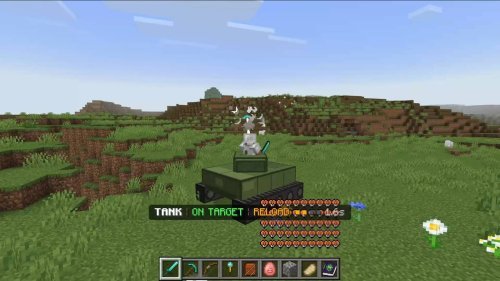
How to Download Sweetin' in PvP 16x Cute PvP Texture Pack for Minecraft Bedrock Edition
Learn how to download and install the Sweetin in PvP 16x Cute PvP Texture Pack for Minecraft Bedrock Edition. This simple guide explains how to check your version, download the pack safely, install it, and activate it for smooth pink themed PvP gameplay on any device.

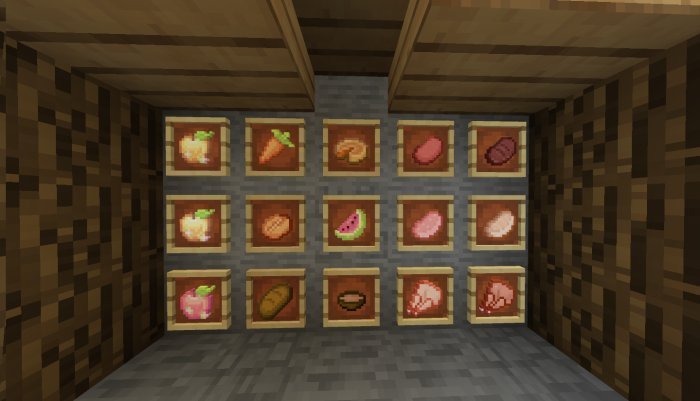
The Sweetin in PvP 16x Cute PvP Texture Pack is one of the most adorable packs made for Minecraft Bedrock Edition. Created by Lillvy and first released on MCPEDL on September 22, 2023, this texture pack turns your game into a cute pink world while keeping everything smooth and optimized for PvP battles. It has a 16x resolution, so it runs perfectly on any device without lag. Updated through January 2024, the pack includes pink themed weapons, armor, and a cute heart shaped crosshair. If you like playing Bedwars, Skywars, or other PvP modes, this pack gives your game a fun and cheerful look that makes fighting even more enjoyable.
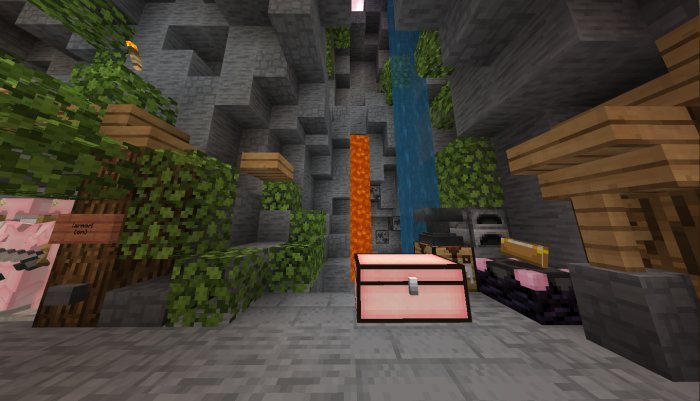
Before you download it, make sure your Minecraft Bedrock version works with the pack. Sweetin in PvP was built for versions 1.17 and above, and it still works with newer ones like 1.20 or 1.21. To check your version, open Minecraft and look at the number on the bottom right of the main menu. If it’s outdated, update your game from your app store or platform store. Running the latest version will help you avoid bugs when importing the pack.
Next, find a trusted website to download from. The official release is on MCPEDL, where Lillvy first shared it, and it’s also updated on Planet Minecraft. In your browser, search for “Sweetin in PvP 16x Cute PvP Texture Pack Minecraft Bedrock download.” This should take you to either the MCPEDL page or Lillvy’s Planet Minecraft post. Look for the download button that says .mcpack and is labeled for the latest version. Avoid any links that ask for extra downloads or look suspicious. When you click the correct link, the file will start downloading and usually go straight to your Downloads folder.
Once it’s downloaded, locate the .mcpack file. It’s small, under 10MB, so it should finish fast. On a computer, it’ll be in your Downloads folder. On mobile, it may ask where to save—choose Downloads for convenience. Console players like Xbox, PlayStation, or Switch will need to download it on another device first, then transfer it using a USB drive or cloud storage later. Remember where you saved it because you’ll need it soon for installation.
Installing the pack is easy. Minecraft Bedrock supports .mcpack files directly, so you just open it. On Windows, double click the .mcpack file and Minecraft will launch automatically. It will import the pack and show a message saying “Successfully imported Sweetin in PvP 16x.” On iOS or Android, open your downloads app, tap the .mcpack, and let Minecraft open to start the import. Console players will need to transfer the file from their computer or phone first. For Xbox, use the Xbox app or a USB drive. For PlayStation or Switch, use cloud storage or an explorer app that can access your Minecraft files. Once imported, the pack will appear in your resource pack list.
After installing, activate the pack so it appears in your game. Open Minecraft, go to Settings, scroll down to Global Resources, and look under Available Resource Packs. Find Sweetin in PvP 16x and click the plus icon to move it into Active Resource Packs. If you have more than one pack active, move Sweetin in PvP to the top so it takes priority. Exit the settings and the pack will load automatically next time you open a world or join a server.
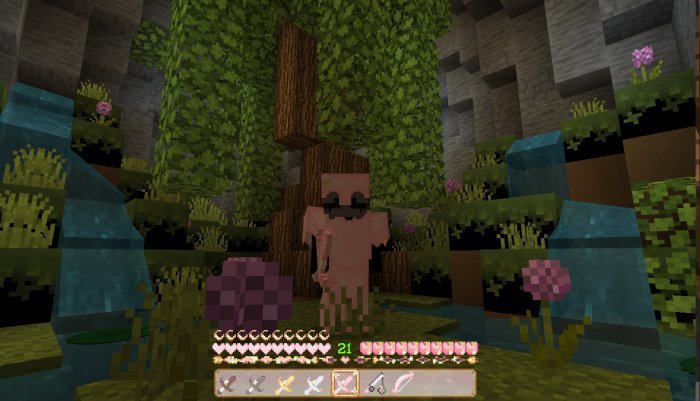
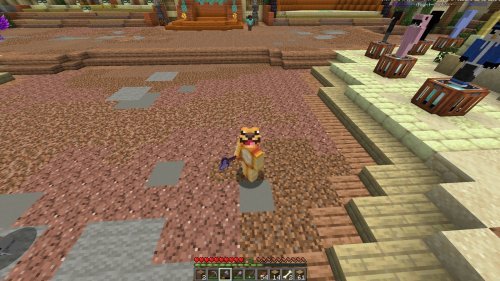
Now it’s time to test it out. Join a PvP server like CubeCraft or The Hive or load into your own world. You’ll see the cute pink visuals right away. The swords and armor have soft pink designs, the blocks are clean and pastel, and your hotbar and crosshair are shaped like hearts. The overall look is cozy but still sharp enough for competitive gameplay. Because the textures are only 16x, the pack keeps your FPS high even during big fights. It’s designed to look cute without affecting performance, so you can still play smoothly on any device.
If the pack doesn’t show up or something looks off, don’t worry. Make sure Minecraft is up to date and that the pack is active in your Global Resources. If it still doesn’t appear, re import it or restart your game. Early versions had a few small issues like missing chest textures, but those were fixed in the January 2024 update. If you have an old version, redownload the newest file from MCPEDL or Planet Minecraft. Some players also mentioned the font color being too light, but Lillvy later adjusted it to be more readable. Always use the most recent version to avoid these bugs.
Sweetin in PvP stands out because it mixes cuteness with functionality. The pink color scheme gives Minecraft a completely new vibe while still being great for PvP. The pastel blocks make it easier to see enemies and items during battles, and the clear designs help you focus on fights without distractions. The UI changes are subtle but noticeable—the hotbar and menu have pink borders and simple icons that match the theme. Everything feels cheerful yet competitive at the same time.
Because of its 16x resolution, the pack runs smoothly on all devices including phones, consoles, and low end PCs. It’s perfect for players who want better visuals without sacrificing performance. Even in busy servers, the pack stays lag free. You can also combine it with shaders or other packs if you want extra lighting effects, but Sweetin in PvP looks great on its own.
If you ever want to turn it off, go back to Global Resources in Settings and click the minus sign next to it. That deactivates the pack but keeps it installed so you can turn it back on later whenever you want. It’s good to keep the file saved in case you reinstall Minecraft or switch devices.
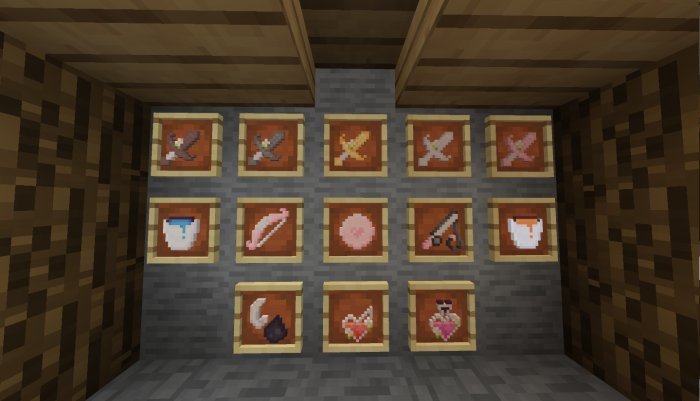
The Sweetin in PvP 16x pack has become one of the most loved PvP packs for players who want something cute but still practical. It keeps Minecraft simple and fun while giving everything a soft pink glow. Whether you’re fighting in Bedwars or just exploring your world, the pack makes the experience lighter and more enjoyable.
In short, downloading and installing the Sweetin in PvP 16x Cute PvP Texture Pack for Minecraft Bedrock Edition is quick and easy. Just make sure your version is updated, download the .mcpack from MCPEDL or Planet Minecraft, open it to import, and activate it in your settings. After that, you can hop into your favorite PvP match and play with a sweet and colorful look. This pack is perfect for anyone who wants their Minecraft battles to feel just as cute as they are competitive.
Share
What's Your Reaction?
 Like
0
Like
0
 Dislike
0
Dislike
0
 Love
0
Love
0
 Funny
0
Funny
0
 Angry
0
Angry
0
 Sad
0
Sad
0
 Wow
0
Wow
0