Terrain Generator Addon for Minecraft Bedrock: Natural World Building
A Minecraft Bedrock terrain generation addon by hippox1 that uses commands to create natural landscapes. Customize biomes, water, trees, and generation speed for your world.

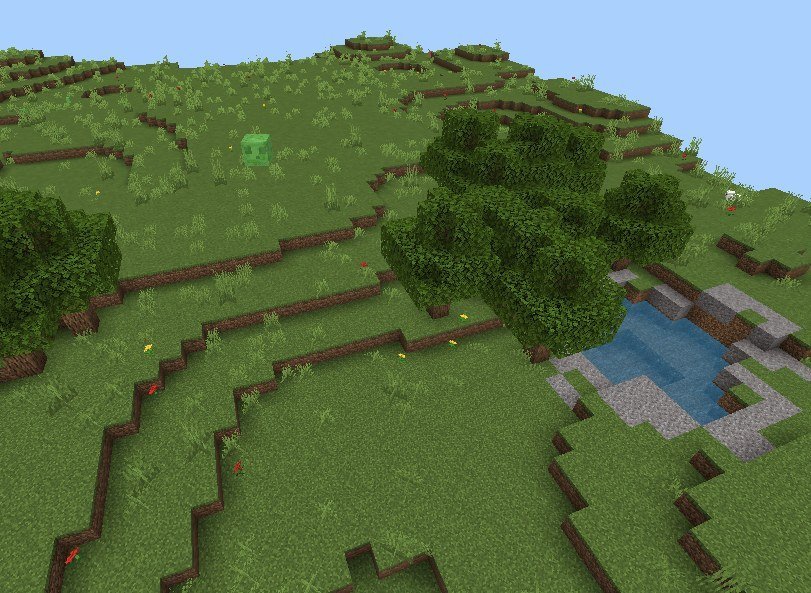
Created by hippox1
Creating natural-looking terrain in Minecraft Bedrock can feel like a grind, especially if you're starting a world from scratch or cleaning up a problem area. Terrain Generator is a command-based addon by hippox1 that lets you spawn realistic landscapes on demand, complete with biome-specific features and full customization control.
The core concept is simple: use a single command to generate terrain in a specified area, and the addon handles the rest. No need to toggle experimental features or mess with complicated setup routines. Just give yourself Operator status and start building worlds the way you want them.
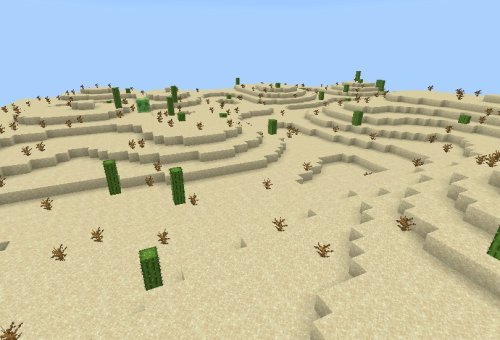
Photos by hippox1
What this terrain generation addon actually does
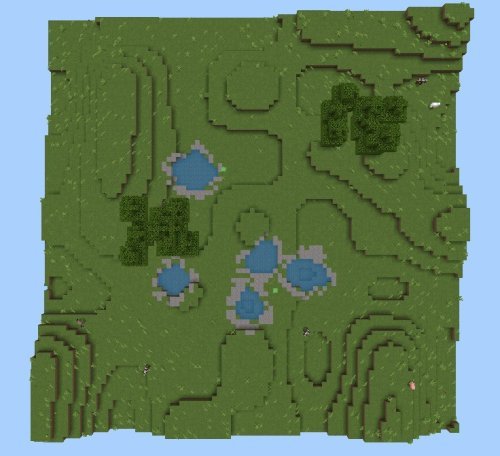
The addon adds a /generate command that creates terrain in rectangular zones you define. Instead of manually sculpting mountains, flatting plains, or carving out desert regions, you run the command and the addon fills in the landscape with natural blocks, water pools, trees, and other features typical of the biome you've chosen.
The real strength here is that you're not locked into one preset look. Every generation is driven by a seed value, which means you can get the same exact terrain twice if you use identical seeds and positions, or you can roll new terrain endlessly by changing the seed. This is huge if you want reproducible results for building challenges or if you're testing layouts.
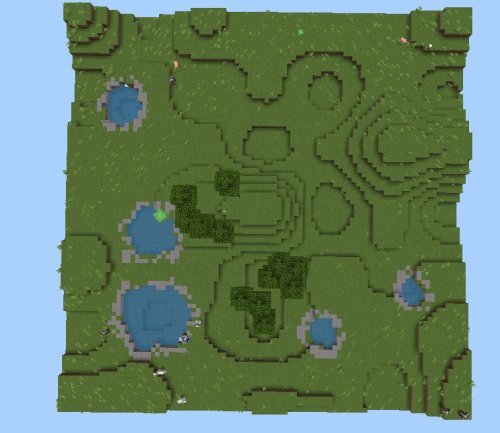
Biome types and terrain generation options
The addon supports three biome modes: Plains, Desert, and Void. The first two do what you'd expect. Plains generates grass, trees, and rolling blocks typical of a meadow. Desert creates sand dunes, occasional water holes, and the sparse vegetation desert players recognize.
The Void option is purely functional: it clears existing terrain in the target area, leaving you with empty space to work with. This is practical if you've filled a zone with terrain you don't want and need a blank slate without manually deleting thousands of blocks.
Each biome generation can be fine-tuned through parameters for water pools and tree batches. You can adjust how many water features appear, whether you want dense forests or scattered trees, or disable them entirely. The settings range from -1 to 10, giving you precision without overwhelming complexity.
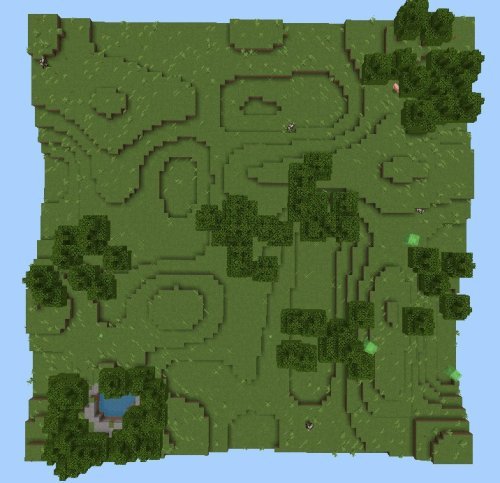
How generation speed works across devices
Terrain generation is processor-intensive, and not every device runs at the same speed. The addon recognizes this with three speed presets: low, normal, and fast. Low speed is the gentlest on your device and ideal if you're playing on a phone or older tablet and notice lag during generation. Normal is the default sweet spot. Fast speeds up the process if you're on solid hardware and don't mind brief performance dips while it runs.
Choosing the right speed prevents world stuttering and keeps your frame rate stable during and after terrain creation. If you're unsure which to pick, start with normal and adjust if you experience frame drops.
Setting up and using the terrain generator addon
Installation is straightforward. Drop the addon file into your Minecraft Bedrock world using the standard .mcpack process, and it activates immediately. No experiments to enable, no hidden toggles. The addon just works when you import it.
The only real requirement is Operator status. By default, only the world owner can run generation commands. If other players want to use the addon, give them Op access with /op [playername]. Regular players without Op cannot trigger the command, which is useful if you want to control where terrain is generated or prevent accidental overwrites.
Once you have Op, the /generate command syntax is straightforward. You'll specify the area, the biome type, your seed, and optional parameters for water and tree density. The addon then processes the zone according to your settings.
Important technical details about terrain generation
There's one caveat that catches people off guard: unloaded chunks won't generate terrain. The addon only works on chunks that are actively loaded in your world. If you're trying to generate terrain far away from where you're standing, you may see partial or no results.
The solution is straightforward. Use ticking areas (command blocks that keep a zone active) or increase the simulated distance setting in your world options. Simulated distance controls how far out the game processes chunks; cranking it higher ensures chunks stay loaded during generation. This does impact performance slightly, but it's the trade-off for generating terrain at a distance.
The seed system works consistently. The same seed at the same position always produces identical terrain. If you love the landscape you created and want to rebuild it elsewhere, just use the same seed value. If you want variation, change the seed.
If you run the command in an area that already has terrain, regeneration replaces what's there. There's no undo button, so save your world before testing if you're uncertain about settings.
Installation and command access
Download the addon and import it through Minecraft's world settings. The addon integrates into your world immediately with no additional steps required.
Make sure you have Operator privileges. If you're playing on your own world, you should already have these. If you're on a realm or multiplayer world, ask the owner to grant you Op status with /op [your name]. Once you have Op, you can execute any /generate command the addon supports.
FAQ about terrain generation addons for Minecraft
Does the terrain generator addon need experiments enabled?
No. This addon works on standard Minecraft Bedrock worlds without enabling any experimental features. Install it, give yourself Op, and start generating.
Can I use this terrain generation mod on MCPE with other addons?
Yes. The addon functions independently and doesn't conflict with most other addons. You can layer it alongside shader packs, behavior packs, or other world-building tools without issues.
What's the best way to generate terrain at a distance without lag?
Increase your world's simulated distance setting before running generation commands far away from your position. This keeps distant chunks loaded so terrain actually spawns. Choose a lower generation speed if you're still experiencing frame rate problems.
Will regenerating terrain in the same spot destroy what I built there?
Yes. Running the command again in an already-generated area replaces the old terrain completely. Always save before testing if you're not sure about your settings, or generate in a new location first.
Share
What's Your Reaction?
 Like
0
Like
0
 Dislike
0
Dislike
0
 Love
0
Love
0
 Funny
0
Funny
0
 Angry
0
Angry
0
 Sad
0
Sad
0
 Wow
0
Wow
0