Best Minecraft Addons 2026: Java PvP Core Review
Java PvP Core brings Java Edition combat to Bedrock Edition with cooldowns, damage scaling, and sweep attacks. A hands-on review of this top MCPE addon.

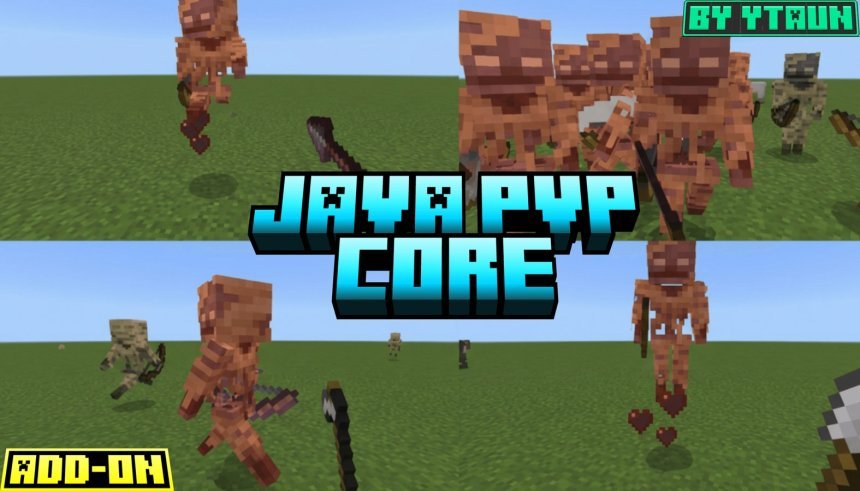
Created by YTAUN
Java PvP Core is a Bedrock Edition addon created by YTAUN that transplants Java Edition's combat system into your MCPE world. If you've bounced between Java and Bedrock, you've probably missed the precise, skill-based fighting of Java's combat cooldown. This addon brings that back.
The addon replicates Java Edition combat mechanics including attack cooldown bars, damage scaling based on charge percentage, and sweep attacks that actually require positioning and timing. It works on Minecraft Bedrock 1.21 and supports multiplayer worlds.
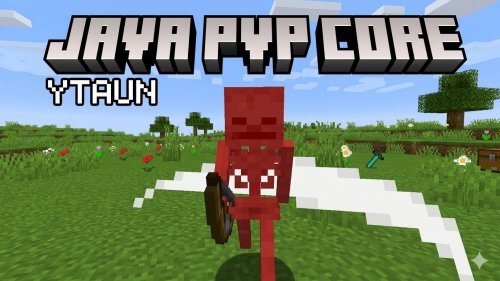
What changes with Java PvP Core installed
The most obvious change is the return of the cooldown bar. After you swing a weapon, a meter appears showing your attack readiness. The bar fills from empty (red) to full (yellow), and damage scales proportionally. A half-charged attack deals half damage. Fully charged attacks deal full damage plus critical hits when you're falling, dealing 1.5x damage. Combat becomes a rhythm game instead of spam-clicking.
Shields now block properly. When an enemy raises a shield, your damage gets negated. Armor toughness matches Java's damage reduction formula, so protection actually means something. Health regeneration ties to saturation, not passive regeneration, changing how you think about food and survival.
Swords gain a sweep attack. Stand still and fully charge your weapon, then release it. Nearby mobs get hit in an area around you, not just your target. This mechanic changes how you handle groups of mobs during raids or cave fights.
Combat features you'll actually use
- Attack cooldown bar with color changes (red when enemies are nearby, yellow when full)
- Damage output scales from 0% to 100% based on cooldown charge
- Sword sweep attacks with optional fire particles and mob burning
- Critical hit multiplier (1.5x) when attacking mid-fall
- Enchantment support for Sharpness, Smite, Bane of Arthropods, Strength, and Weakness
- Shield blocking detection and full damage negation
- Armor toughness damage reduction following Java formulas
- Totem of Undying interaction with the damage system
- Pre-configured damage values for swords, axes, tridents, maces, pickaxes, shovels, and hoes
Customizing weapons and icons
The addon includes customizable cooldown icons for different weapon types. Swords, axes, and daggers display their own unique icon while cooling down. You can swap these out if you want different visuals.
All vanilla weapons come pre-configured with damage and cooldown values that match Java Edition. If you want to add custom weapons from other addons, Java PvP Core uses a tagging system. Tag your weapon with two required tags and the addon detects it without needing scripts.
Advanced addon creators can use the integration API to override weapon properties for other addons. A companion addon called PvP Weapon Support is available separately if you want automatic weapon detection from other combat addons.
Performance and stability on Bedrock
Version 4.1.0 fixed a critical crash caused by CommandPermissionLevel import dependency issues. The addon now requires Script API @minecraft/server 1.16 and updated to version 2.1.0 to guarantee the entityHurt API functions properly.
All event and command registration blocks are wrapped in error handling. If one API is missing or fails, the addon continues running instead of breaking your entire world. This matters in multiplayer servers where you can't control which other addons are installed.
The addon runs on Bedrock 1.21 across all platforms. Performance impact is minimal because the cooldown and damage calculations happen server-side, not every tick on every mob.
Who should install Java PvP Core
Install this if you play Java Edition most of the time and Bedrock feels too easy in combat. Install it if you're running a survival server where you want actual challenge during PvP fights. Install it if you miss the timing and rhythm of Java Edition's combat system.
It works in single-player, multiplayer worlds, and realms. No cheats required. Achievements stay enabled, so you don't sacrifice progress for better combat mechanics.
Skip it if you prefer Bedrock's rapid-fire combat or if you're playing casual builds where combat doesn't matter. The cooldown bar adds complexity that some players find annoying rather than rewarding.
How to install Java PvP Core
Download the .mcpack or .mcaddon file from the link at the end of this article. Open it. Minecraft will prompt you to import it into your world or create a new world with it enabled. Select your world and confirm. The addon loads automatically the next time you enter that world.
You need Script API enabled in your world settings. If it's not, enable it, then reload the addon. Achievements remain on by default unless you manually disable them.
Optional: Download the PvP Weapon Support addon if you're using other combat addons that add custom weapons and you want them tagged automatically.
Frequently asked questions
Does Java PvP Core work on MCPE tablets and phones?
Yes, it works on all Bedrock Edition platforms including phones, tablets, and Windows. The cooldown bar displays and functions the same way on touch controls as it does with keyboard and mouse.
Can I use this addon with other combat addons?
Yes, as long as they don't conflict on entity damage events. The integration API lets other addons override weapon properties if they're designed to work with Java PvP Core. For weapons from unrelated addons, use the custom tagging system or the companion PvP Weapon Support addon.
What's the difference between Java PvP Core and vanilla Bedrock combat?
Vanilla Bedrock lets you swing infinitely fast and deal consistent damage every hit. Java PvP Core adds cooldowns, damage scaling based on charge, sweep attacks, critical hits, armor toughness, and saturation-based healing. Combat becomes slower, more tactical, and closer to Java Edition.
Does this addon disable achievements?
No. Achievements stay enabled by default. You get full progress and advancement tracking while using Java-style combat mechanics.
Share
What's Your Reaction?
 Like
0
Like
0
 Dislike
0
Dislike
0
 Love
0
Love
0
 Funny
0
Funny
0
 Angry
0
Angry
0
 Sad
0
Sad
0
 Wow
0
Wow
0