Best Minecraft Addons 2026: Java-Style Offhand for Bedrock
Add Java Edition offhand mechanics to Bedrock Edition with this stable addon. Hold and swap items like dual-wielding in Minecraft Java.

Created by Maceyoa
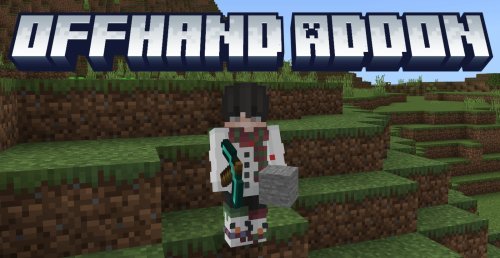
What is the Javaify Offhand addon?
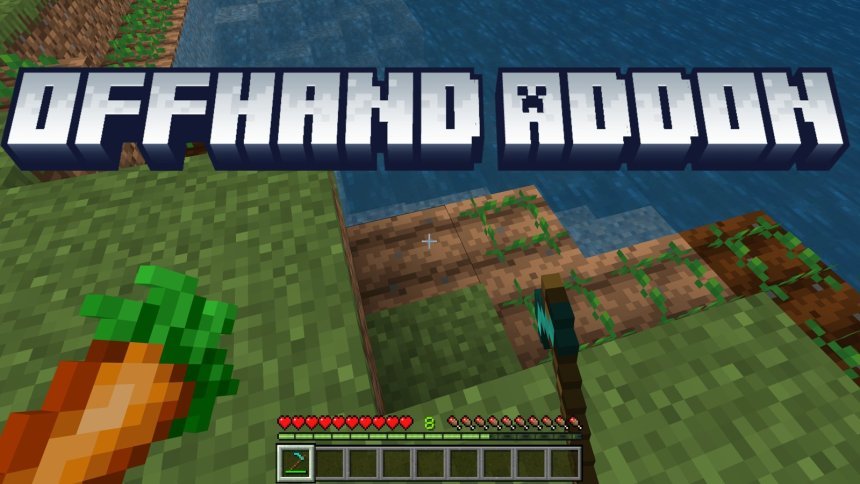
Javaify Offhand is a stable addon created by Maceyoa that brings Java Edition's offhand slot mechanics directly into Bedrock Edition and Pocket Edition (MCPE). If you've played Minecraft Java and missed the ability to hold torches, shields, or other items in your offhand while keeping your main hand equipped, this addon closes that gap.
The addon lets you hold compatible items in a second slot, just like Java players take for granted. You swap between hands using a simple button combination, and the experience mirrors what Java Edition players are familiar with.
How offhand mechanics work in this addon
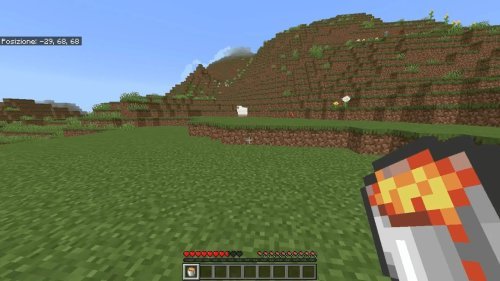
The setup is straightforward. You hold items in both your main hand and offhand, and they function independently. A torch in your offhand will light up areas while your main hand swings a sword. A shield in your offhand blocks damage while you attack with your dominant hand. This is the core of what makes the Java Edition feel different from vanilla Bedrock gameplay.
To swap items between your hands, you'll hold down both the jump button and sneak button at the same time. Release them, and your items switch. If you're used to Java's default keybind for this, the muscle memory transfers over pretty well.
Compatible items and what you can do with them
- Hold torches offhand while mining or exploring with your main hand free
- Equip a shield offhand while wielding a sword or axe
- Carry multiple utility items that work simultaneously
- Swap hands quickly during combat or building
Why this addon changes how Bedrock feels
Bedrock Edition players often find Java Edition's offhand slot to be one of the features they miss most. It works in ways that matter during survival mode. You don't have to choose between holding a light source or your weapon. You don't have to switch between a shield and a sword in your hotbar.
If you've been jumping between Java and Bedrock, or if you've recently switched to MCPE from Java, this addon makes the transition feel less jarring. Your playstyle doesn't have to change as much.
Installation options for Bedrock and MCPE
Maceyoa offers two ways to install this addon. You can download it as a single .mcaddon bundle file, which handles both the resource pack and behavior pack in one go. This is the easiest method if you just want to install and play.
Alternatively, you can download the Resource Pack and Behavior Pack separately. The creator notes that downloading them as separate files helps with support tracking, so if you're willing to do two downloads instead of one, that's appreciated. Either method works equally well in-game.
Step-by-step installation
- Download the addon files from CurseForge or MCPEDL
- If using the .mcaddon file, simply open it and Minecraft will import it automatically
- If using separate RP and BP files, move them to your resource packs and behavior packs folders
- Launch a world and enable both packs in world settings
- Restart the world if needed
Performance and compatibility notes
This is a marked stable version, meaning it's been tested and works reliably without crashing your world or causing lag. The addon is lightweight since it only modifies how items behave in your hands, not the rendering pipeline or block data.
It works across all Bedrock platforms: Windows 10/11, console, mobile, and cross-platform servers. Any device running the same Bedrock version can use it together.
Who should try this addon
If you're a Java player testing out MCPE or Bedrock for the first time, this addon removes friction. If you're a longtime Bedrock player curious about how Java Edition handles dual-wielding, it's worth testing. Survival mode players in particular will notice the quality-of-life difference.
You don't need a high-end device to run it. The addon doesn't demand extra processing power, so it's friendly to lower-end phones and tablets as well.
FAQ: Common questions about the offhand addon
What are the best Minecraft addons for Bedrock besides offhand mechanics?
Offhand is just one category. Bedrock has thousands of quality-of-life addons, cosmetic packs, and gameplay overhauls. Offhand stands out because it addresses a core mechanic difference rather than just visuals. If you're looking for more, explore packs that add new mobs, blocks, or change tool functionality.
Does the offhand addon work on servers or just single-player?
It depends on your server setup. For singleplayer worlds and realm worlds you own, it works fine. If you're joining a server run by someone else, the server owner needs to have the addon installed as well for it to function. Always check with your server before installing.
Can I use other addons at the same time as Javaify Offhand?
Yes, this addon is designed to stack with others. Since it only modifies hand mechanics and doesn't change blocks, mobs, or world generation, it's compatible with most other behavior and resource packs. That said, test your pack combination in a test world first if you're stacking many addons together.
Is this addon the same as dual-wielding in Java Edition?
It mimics the Java offhand system, which is the closest Bedrock gets to dual-wielding. The mechanics work the same way, though the visual style depends on which resource pack you're using. If you wanted Java's exact look and feel, you'd want to pair this addon with a Java Edition-style resource pack.
Share
What's Your Reaction?
 Like
0
Like
0
 Dislike
0
Dislike
0
 Love
1
Love
1
 Funny
0
Funny
0
 Angry
0
Angry
0
 Sad
0
Sad
0
 Wow
0
Wow
0