Best Minecraft Addons 2026: Potion Effect Compass Guide
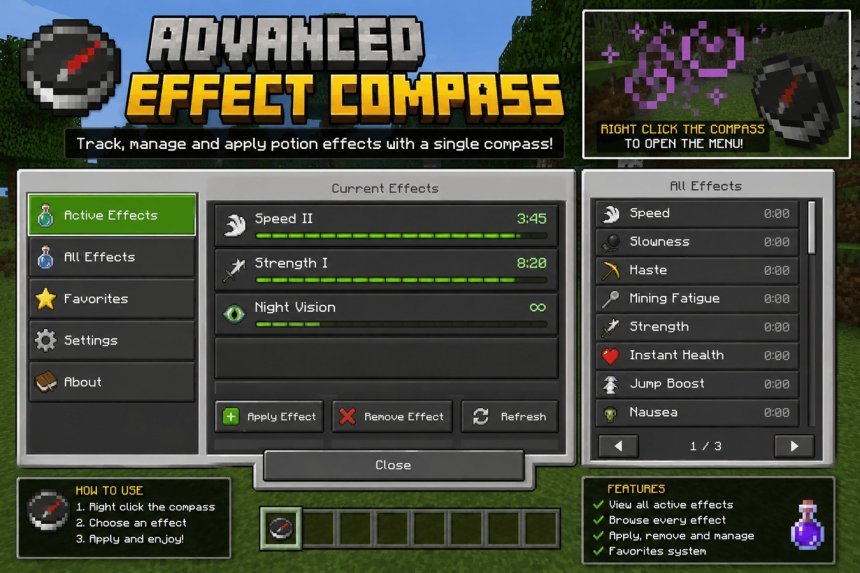
The Advance Effect Compass transforms your compass into a potion tracker. This lightweight MCPE addon shows active status effects and durations in survival mode.

Created by Yunarii
When you're deep into a long survival session, keeping track of potion effects becomes surprisingly annoying. You're buffed with speed and strength, but how much longer do they last? The Advance Effect Compass, created by Yunarii, solves this by turning your compass into a status effect monitor. It's one of the best minecraft addons 2026 if you play survival regularly and want quality-of-life improvements without breaking immersion.
This addon doesn't add flashy particles or change how your world looks. Instead, it gives you practical information exactly when you need it. Open your compass and you see every active potion effect plus the remaining duration in ticks. That's it. No menus to navigate, no settings to fiddle with.
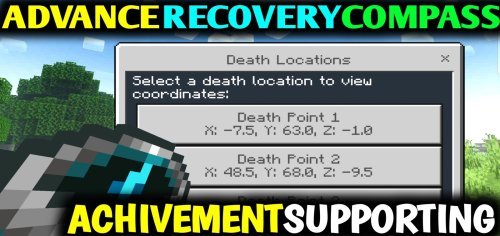
What makes this addon useful for survival players
Survival mode in Minecraft Bedrock Edition already tracks your effects in the top-right corner of the screen, but that display vanishes in tight moments. You're running from a Warden, your screen is shaking, and you need to know if your Speed II will help you escape. The compass interface keeps that information accessible without clutter.
The addon works in Realms, multiplayer servers, and adventure maps. You can use it in singleplayer worlds too. If you're playing on a server where admins give buffs during events or raids, you won't lose track of durations across the noise of combat.
Custom status effects are supported too. If another addon adds new potion types, this compass displays them. That compatibility makes it fit naturally into larger addon packs.
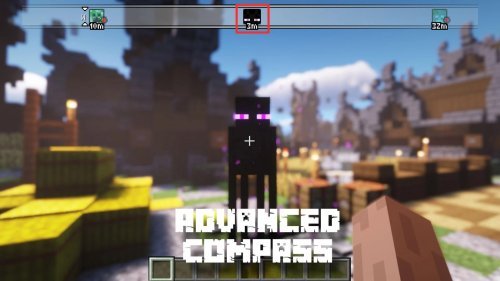
How the compass interface actually works
The implementation is straightforward. Hold or equip your compass. The addon reads your active effects and displays them with countdown timers. Remaining duration appears in ticks, so you can do quick math if needed (20 ticks = 1 second in vanilla Minecraft).
Because it uses the compass as the interface, you don't need a new item or HUD element. The compass is an item most players carry anyway. No extra burden on your inventory.

Compatibility with vanilla and custom addons
The addon works alongside vanilla mechanics. Your potion effects function normally. Mobs apply status effects to you as usual. Fire Aspect swords still work. The compass simply adds a viewing layer on top of existing gameplay.
If you're already using custom addons for mobs, blocks, or items, this potion tracker plays well with them. Yunarii designed it to be lightweight, so performance stays smooth even when other packs are active.
Installation and setup
The addon comes as an .mcpack file. On most Bedrock devices, you download it and open the file, which automatically launches Minecraft and imports the pack into your world settings. No folders to extract, no command blocks to set up.
Once imported, enable it in your world settings under Resource Packs or Behavior Packs depending on how Yunarii packaged it. Create a new world or apply it to an existing one. You're ready to go.
Performance and design philosophy
The addon doesn't drain FPS. It runs with lightweight optimization in mind, so you won't notice framerate drops even on older phones or tablets. The compass check is a simple lookup of your current buffs, not a complex calculation.
Yunarii kept the design minimal on purpose. The addon doesn't add unrealistic mechanics or cartoon effects that break immersion. A compass showing potion timers feels like it belongs in survival mode.
Key features at a glance
- Shows all active potion effects with remaining duration in ticks
- Works with vanilla and custom status effects
- Compass-based interface, no new HUD elements
- Compatible with survival worlds, Realms, servers, and adventure maps
- Lightweight performance, minimal FPS impact
- No complex setup required
Frequently asked questions
Does this addon work on multiplayer servers?
Yes. The addon functions on Realms and multiplayer servers as long as you have it enabled on your client. Other players don't need to install it for you to see your own effect durations.
What are the best minecraft addons for tracking gameplay information?
This compass addon is one option for utility tracking. Other players use HUD addons, but this one stays true to vanilla Minecraft by using an existing item as the interface instead of adding UI elements.
Can I use this with other MCPE addons?
Yes. The addon is designed to coexist with custom packs for mobs, blocks, dimensions, and other content. Just enable multiple packs in your world settings.
Will this addon affect my survival world's difficulty or vanilla gameplay?
No. It only displays information. Potion effects apply and wear off on the normal schedule. Mobs, damage, hunger, and all other survival mechanics work unchanged.
Share
What's Your Reaction?
 Like
0
Like
0
 Dislike
0
Dislike
0
 Love
0
Love
0
 Funny
0
Funny
0
 Angry
0
Angry
0
 Sad
0
Sad
0
 Wow
0
Wow
0