ASMR Keyboard Sounds for MCPE: Download & Install Guide
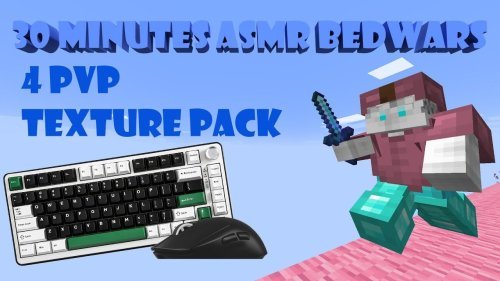
Get satisfying ASMR keyboard sounds in Minecraft Pocket Edition. This texture pack replaces game audio with tapping and typing effects perfect for relaxation and PvP.


Created by ZaynIsHere
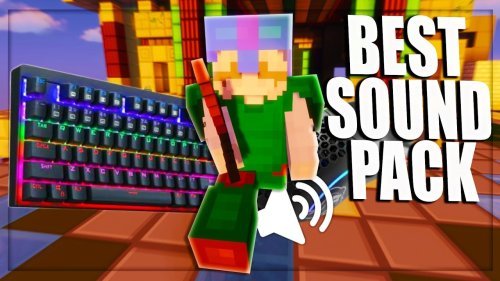
If you've ever wondered why keyboard sounds are so satisfying, you're about to find out in Minecraft Pocket Edition. ASMR Keyboard Sounds is a texture pack created by ZaynIsHere that replaces the game's standard audio with crisp, clean keyboard tapping and typing effects. It's designed for players who want a relaxing, almost meditative quality from hearing each keystroke and interaction.
This isn't your typical sound mod. Instead of dramatic music or ambient nature noises, every block break, menu click, and mob interaction gets mapped to keyboard audio. You get a completely different way to experience Minecraft, especially if you're playing survival mode or grinding through building projects.
What makes keyboard sounds so satisfying in games
ASMR content is everywhere right now for a reason. Keyboard tapping, clicking, and typing create a specific kind of audio feedback that feels instant and responsive. When you break a block in vanilla Minecraft, you hear a generic sound effect. With keyboard sounds, you hear a sharp, percussive tap that mirrors what you'd hear at a real keyboard. That directness creates a sense of control and presence.
The satisfaction comes from multiple angles. First, there's the tactile connection. Your brain registers the click as confirmation that your action happened. Second, the repetitive nature of keyboard sounds has a calming effect similar to other ASMR triggers. Third, in competitive settings like PvP, the crisp audio feedback can help you stay aware of what's happening in the game.

How this pack changes your MCPE experience
Once you install ASMR Keyboard Sounds, the moment you load a world, you'll notice the audio landscape is completely different. Every action produces keyboard-based feedback instead of Minecraft's default sound palette. Breaking blocks, placing blocks, opening chests, selecting items from your inventory, crafting, enchanting, and menu navigation all map to different keyboard sounds.
The pack works well for both survival and PvP modes. In survival, the constant audio feedback keeps you engaged with each task, whether you're mining, farming, or building. The sounds layer nicely when multiple actions happen at once. In PvP, the sharp keyboard audio helps you stay locked into the moment. You hear your hits, your opponent's hits, and the environmental changes around you with clear audio.
Key features of ASMR keyboard sounds
- Keyboard-based sound effects throughout the entire game designed with ASMR in mind
- Audio balance works for both survival grinding and competitive PvP encounters
- Audio feedback on every interaction, from block breaking to menu clicks
- Clean, crisp tapping sounds that replace the standard Minecraft audio palette

Who should try this pack
This pack works best for players who already enjoy ASMR content or who find keyboard sounds satisfying. If you watch ASMR videos or listen to typing sound compilations, this pack is made for you. It's also a good choice for long gaming sessions where you want something calming but engaging in the background.
Creators and streamers sometimes use packs like this to add variety to their content. The keyboard sounds create a distinctive audio signature that viewers notice and remember. If you're streaming or recording gameplay, the sound design alone becomes part of your presentation.
Competitive PvP players might also find value here. The sharp, responsive keyboard audio gives immediate feedback on every combat action, which some players prefer over the default sound effects.
How to install ASMR keyboard sounds on Minecraft Pocket Edition
Installing a texture pack in Minecraft Pocket Edition is straightforward. Download the pack file to your device, then open Minecraft and navigate to Settings. Look for the Resource Packs or Texture Packs menu. From there, you can import the downloaded pack file. Once imported, activate it in your active packs list, and it will apply to any new world you create or existing world you load.
The pack is compatible with standard MCPE on Windows 10/11, iOS, Android, and other Bedrock platforms. Make sure your game is updated to the latest version for the best compatibility.
See it in action
ZaynIsHere has uploaded a demonstration video on YouTube showing the pack in actual gameplay. Watching the video before installing is a good idea if you want to hear exactly how the sounds will affect your experience. You'll see how the audio responds during mining, combat, building, and menu navigation.
FAQ: ASMR keyboard sounds for Minecraft
Can you change the sound of your keyboard in Minecraft?
Not directly in vanilla Minecraft, but texture packs like ASMR Keyboard Sounds replace the game's sound effects with keyboard audio. This is the practical way to get keyboard sounds in your game without modifying the client itself.
Why are keyboard sounds so satisfying?
Keyboard sounds provide immediate, crisp audio feedback that confirms your actions are registering. The repetitive, rhythmic nature also has a calming effect similar to other ASMR triggers, which is why many people find them relaxing to listen to.
How do I get ASMR tapping sounds while playing Minecraft Bedrock?
Download the ASMR Keyboard Sounds texture pack and install it through your Minecraft Pocket Edition resource pack menu. Activate it in your settings, and the keyboard sounds will replace all game audio in any world you play.
Will this pack work on all Minecraft Bedrock platforms?
Yes, since it's a standard texture pack for MCPE, it works across Windows 10/11, iOS, Android, and other Bedrock Edition devices. Just make sure your game version is current.
Share
What's Your Reaction?
 Like
0
Like
0
 Dislike
0
Dislike
0
 Love
0
Love
0
 Funny
0
Funny
0
 Angry
0
Angry
0
 Sad
0
Sad
0
 Wow
0
Wow
0