Best Minecraft Addons 2026: Gravestone & Death Coordinates
Gravestone & Death Coordinates is a Minecraft Bedrock addon that marks your death location with a structure and gives you coordinates to recover items. Created by Euforia.

Created by Euforia
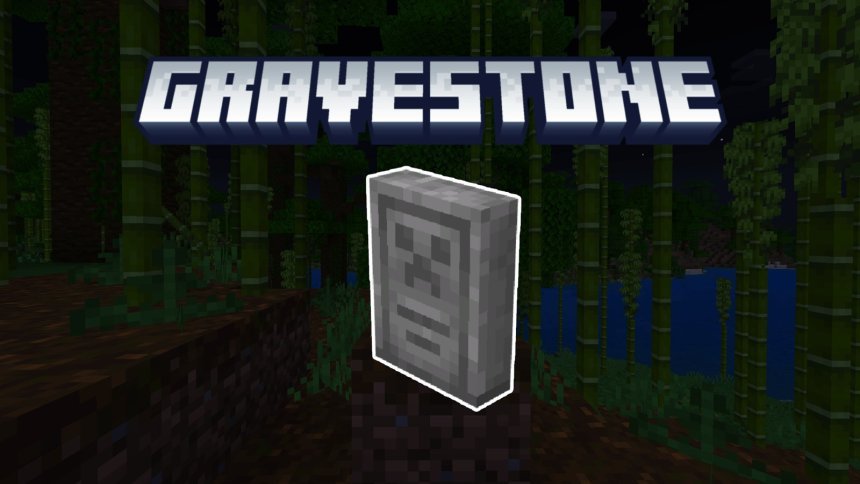
Gravestone & Death Coordinates is an addon for Minecraft Bedrock that marks where you died. When your character falls, drowns, or gets taken out by a mob, a gravestone structure appears at that exact spot, and you get the coordinates sent right to your chat. No more running around blind trying to remember if it was near that one tree.
Created by Euforia, this addon fits into a small but important category of survival helpers. It doesn't change how mobs work or add new biomes. It makes death less punishing by giving you the information you need to get your stuff back.
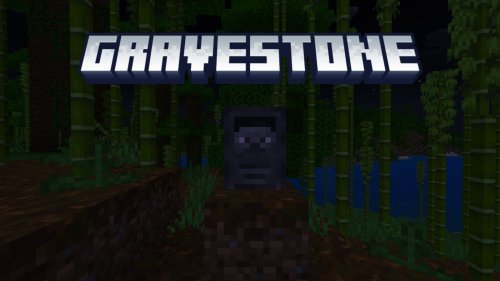
Photos by Euforia
Why a gravestone addon matters in MCPE survival
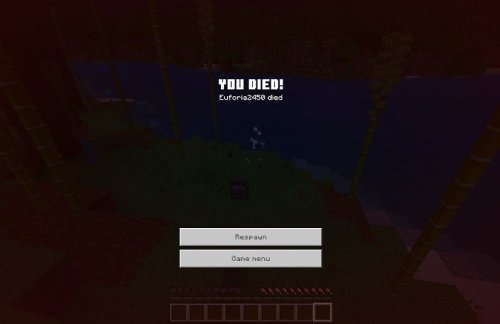
Minecraft Bedrock survival can be brutal. You die, you panic, you forget exactly where you were, and suddenly your best tools are despawning in some cave you'll never find again. A gravestone marker solves this in two ways: it gives you a visual landmark when you respawn, and it hands you exact coordinates so you can navigate back without guessing.
This is especially useful in larger worlds or on multiplayer servers where players might be spread across thousands of blocks. Instead of spending twenty minutes backtracking, you fast-travel or navigate directly to your death location.
What the gravestone addon actually adds to your game
The addon generates a gravestone structure automatically whenever you die. It's a built structure with a custom texture, so it's noticeable when you're scanning the landscape from a distance.
Every time death happens, the addon logs your coordinates in chat. You don't have to open a map or use coordinates commands. The numbers just appear, so you can note them down, type them into a waypoint system, or use them to navigate with a compass.
Gravestone variants and the teleport key feature
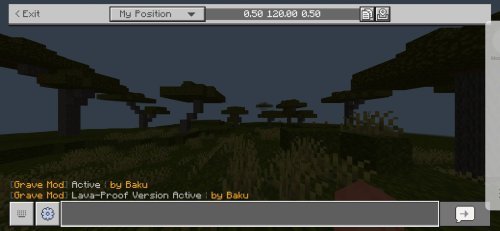
Euforia included two different versions of this addon. One version comes with a gravestone key item, a special object that teleports you directly to your last death location. The other version is the standard gravestone marker without the teleport feature.
The teleport key is a quality-of-life feature. You craft it, use it, and you're instantly at your grave. No travel time, no risk of getting killed again on the way back. If you want a pure coordinates-only experience instead, the non-teleport variant gives you that.
Installation and beta API requirements
Installing Gravestone & Death Coordinates requires one extra step compared to some addons. You need to enable the Beta APIs option in your world's experimental settings before the addon will function. This is a Bedrock requirement for addons that use certain game APIs.
After enabling Beta APIs, import the .mcpack file into your Bedrock launcher. It will add the addon to your available packs. Apply it to any new world or existing world you want to use it with. The addon works immediately on death.
Steps to enable Beta APIs
- Open a Bedrock world and go to Settings
- Scroll down to the Experiments section
- Toggle Beta APIs to on
- Apply the gravestone addon pack to your world
Current features and planned updates
The addon is currently at version 1.0.6, which is stable for everyday use. Euforia has mentioned plans to add in-game configuration options in future updates. This would let you customize which variant you're using or tweak gravestone behavior without re-installing different pack versions.
Right now, if you want to switch between the teleport key version and the standard version, you'd swap the addon pack. Once configuration options land, that process will be smoother.
The developer also maintains a community Discord server where you can report bugs, ask questions, or discuss feature requests with other players using the addon.
Who should use this addon
Survival players lose the most from death without a recovery system. If you're playing hardcore mode or a long-term survival world where losing your equipment actually matters, this addon gives you back the ability to retrieve it.
Multiplayer servers benefit too. When players can find their death sites, they spend less time frustrated and more time actually playing. It's a small addon, but it removes one of the game's more annoying friction points.
For creative players or casual explorers, this addon doesn't add much. Any serious survival player, especially on MCPE and Bedrock where quality-of-life addons are fewer than on Java, will appreciate the convenience.
Performance and compatibility
Because the addon only generates one gravestone structure per death and adds a text message to chat, it has almost no impact on frame rate or performance. It works alongside other best Minecraft addons without conflicts. The gravestone texture is lightweight and won't bloat your world file.
FAQ: Gravestone & Death Coordinates
Do I have to use the teleport key, or is there a version without it?
Yes. Euforia includes two variants: one with teleport key functionality and one without. Pick whichever fits your playstyle. In future updates, you'll be able to switch between them using in-game settings instead of swapping addon files.
What is the best Minecraft addon for death recovery on Bedrock?
Gravestone & Death Coordinates is one of the best addons for this exact purpose. It combines visual markers with coordinates and an optional teleport feature. Other addons exist, but this one balances simplicity with useful recovery tools.
Does this addon work on multiplayer servers or realms?
Yes, it works on realms and multiplayer worlds. Every player will see gravestones and get coordinates when they die. Note that on servers where the host doesn't have the addon, other players won't see the feature unless they install it locally.
How do I enable Beta APIs for MCPE addons?
Open your world settings, find the Experiments section, and toggle Beta APIs on. You only need to do this once per world. After that, any addon using Beta APIs will function normally.
Share
What's Your Reaction?
 Like
0
Like
0
 Dislike
0
Dislike
0
 Love
0
Love
0
 Funny
0
Funny
0
 Angry
0
Angry
0
 Sad
0
Sad
0
 Wow
0
Wow
0