How to Download Neo Texture Pack FPS++ for Minecraft Bedrock Edition
Learn how to download and install the Neo Texture Pack FPS++ for Minecraft Bedrock Edition. This simple guide shows you every step from checking your version to activating the pack so you can boost FPS and enjoy smooth PvP gameplay on any device.

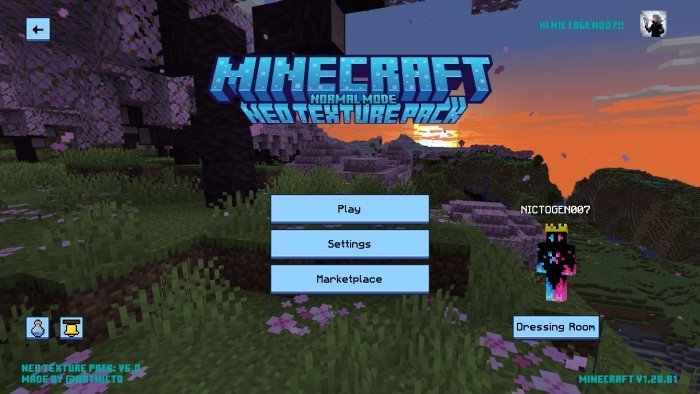
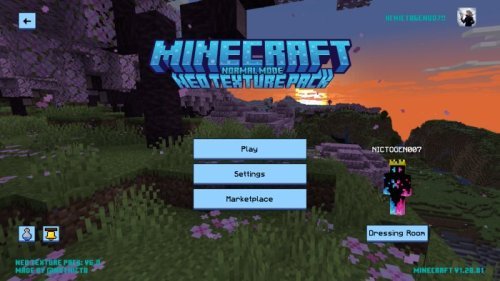
The Neo Texture Pack FPS++ is one of the best texture packs for players who want better performance in Minecraft Bedrock Edition. Created by notNICTO, also known as Notnictolive, this pack first came out on MCPEDL on July 3, 2022. It quickly became popular among PvP players for its smooth gameplay, clean textures, and huge FPS boost. With updates continuing through 2024, the Neo Texture Pack now supports version 1.21.51 and runs great on Windows, consoles, and mobile devices. It’s designed to make your game faster while still looking good, thanks to its 16x resolution and RenderDragon shader support. If you play Bedwars, Skywars, or any PvP mode, this pack is built to help you fight lag and win more games.
Before you start, check your Minecraft version to make sure it’s compatible. Neo Texture Pack FPS++ works on 1.19 and newer, and it’s been tested with versions 1.20, 1.21, and even the beta 1.21.51 as of late 2024. To check your version, open Minecraft and look at the bottom right corner of the main menu. If you’re running an older version, update your game from your app store or console store. Having the latest update will help avoid bugs or errors during installation.
Once your version is ready, you’ll need a trusted place to download the pack. The safest and official sources are MCPEDL and CurseForge. notNICTO’s official MCPEDL page contains the main download links, and his CurseForge page sometimes posts newer versions or beta builds. To find it, open your browser and search “Neo Texture Pack FPS++ Minecraft Bedrock download.” Make sure the site is MCPEDL or CurseForge. Avoid sketchy third party links that ask for random ads or permissions. The file should be listed as .mcpack, and the title should say Neo Texture Pack FPS++. Click the download button and let it save to your device, usually in your Downloads folder.
The file is small, under 10MB, because of its 16x resolution, so it should only take a few seconds to finish downloading. On a computer, it’ll go straight to your Downloads folder. On mobile, you might need to select where to save it—choose Downloads for simplicity. Console users will need to download it on a computer or phone first so they can transfer it to their console later.
When the file is ready, installing it is very easy. Minecraft Bedrock supports .mcpack files directly. On Windows 10 or 11, find the .mcpack file in your Downloads folder and double click it. Minecraft will open automatically and start importing the pack. When the import is done, you’ll see a message saying “Successfully imported Neo Texture Pack FPS++.” On iOS or Android, open your downloads app or file manager, find the .mcpack file, and tap it. Minecraft will launch and import the pack the same way. For consoles like Xbox, PlayStation, or Switch, you’ll have to transfer the file from your computer or phone. Xbox users can use a USB drive or the Xbox app. PlayStation and Switch users can use cloud storage or a file explorer app that connects with Minecraft. After it’s imported, you’ll see Neo Texture Pack FPS++ in your resource pack list.
Now it’s time to activate it. From the main Minecraft menu, go to Settings and scroll down to Global Resources. Under Available Resource Packs, find Neo Texture Pack FPS++. Click the plus sign to move it into Active Resource Packs. If you use other texture packs, make sure this one is at the top of the list so it has priority. Exit the settings, and the pack will automatically apply when you load your next world or join a server.
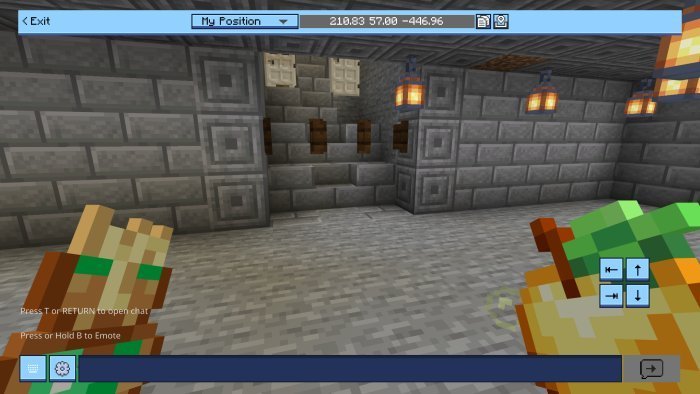
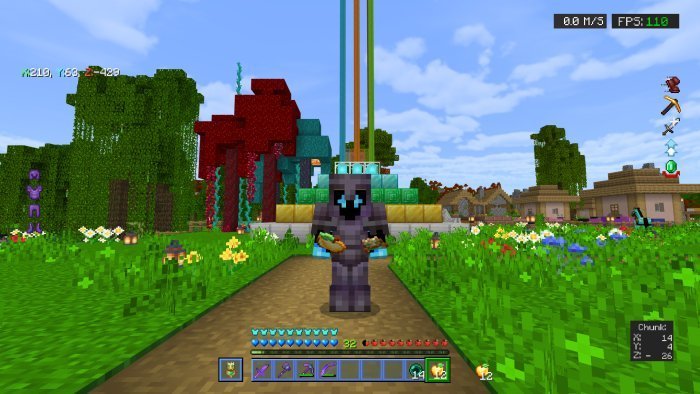
You can now test the pack in a PvP match or a normal world. Join a server like The Hive or CubeCraft and look around. You’ll notice custom swords with clean designs, new ore textures that are easy to spot, and smooth breaking animations. The pack also adds small touches like particles, kill blood effects, and even a built in FPS counter. These details make fights look cooler without slowing down your game. The 16x resolution keeps performance high while RenderDragon shaders make everything look bright and clear. If your game feels faster and smoother, that’s the pack doing its job.
If something goes wrong, don’t panic. Make sure your game is updated to at least version 1.19 and that you activated the pack correctly under Global Resources. If the .mcpack won’t open, try re downloading it or restarting your device. Some users have reported that the FPS counter can overlap the UI in certain modes, but this can be adjusted through settings or by checking notNICTO’s Discord for help. If textures look broken or missing, re import the pack or download it again from MCPEDL to get a clean version.
Neo Texture Pack FPS++ stands out because it’s not just another PvP pack—it’s designed for speed and reliability. The 16x textures make everything load faster, while the added effects make battles feel more intense without lowering your FPS. The quick crafting and chat helper features make gameplay smoother, especially during fast paced fights. Every part of this pack is built for players who care about both performance and looks.
Because of its smart design, Neo Texture Pack works well on all platforms. It keeps high frame rates even on low end devices, and it performs great on Windows and consoles. The RenderDragon shader support also means it works well with Minecraft’s newer graphics engine, giving players smoother lighting and cleaner visuals.
If you want to disable the pack later, go back to Global Resources, open the Active Resource Packs list, and click the minus sign next to Neo Texture Pack FPS++. That turns it off but keeps it installed in case you want to use it again later. It’s always good to keep the file saved so you don’t have to re download it.
Neo Texture Pack FPS++ has become a must have for Bedrock PvP players because it perfectly balances speed and style. Whether you’re playing Bedwars, Skywars, or casual PvP, it helps your game run faster while still looking polished. The extra effects like particles and kill animations make matches more exciting without adding lag.
In summary, downloading and installing Neo Texture Pack FPS++ for Minecraft Bedrock Edition is fast and easy. Update your game, download the .mcpack from MCPEDL or CurseForge, open it to import, and activate it in Global Resources. Then jump into a match and enjoy the boost in performance. This pack is perfect for anyone who wants smoother gameplay, faster reactions, and a modern PvP look all in one.
Share
What's Your Reaction?
 Like
0
Like
0
 Dislike
0
Dislike
0
 Love
0
Love
0
 Funny
0
Funny
0
 Angry
0
Angry
0
 Sad
0
Sad
0
 Wow
0
Wow
0