Itachi Uchiha Eternal Flame Texture Pack for Minecraft Bedrock
Replace your Minecraft menu with an animated Itachi Uchiha scene. Features glowing Sharingan eyes, flame effects, and smooth looping animation for Bedrock and MCPE.


Created by Buxy
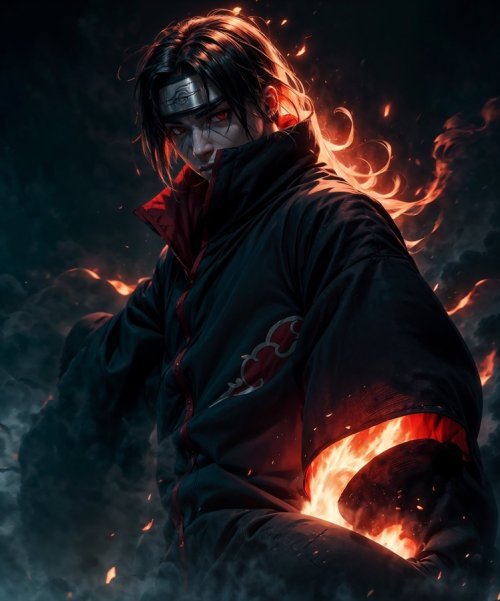
Animated Menu: Itachi Uchiha Eternal Flame is a texture pack that swaps out your Minecraft Bedrock main menu for an animated scene centered on Itachi Uchiha from the Naruto series. The pack replaces your static menu background with a looping animation that runs without lag or stuttering.
If you spend time staring at the Minecraft menu while waiting for the world to load, this pack gives you something more interesting to look at than the default panorama.
What you're actually getting
This is a menu-only pack. It doesn't touch your in-game textures, mobs, blocks, or gameplay at all. Everything changes at the title screen, and the moment you hit "Create World" or "Join Server," you're back to vanilla Minecraft or whatever other packs you're running.
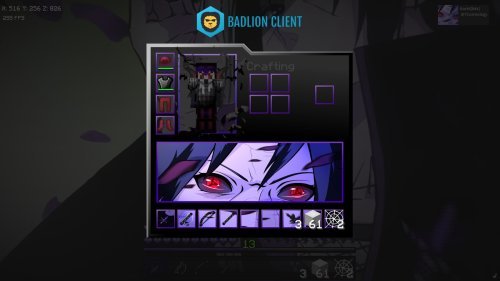
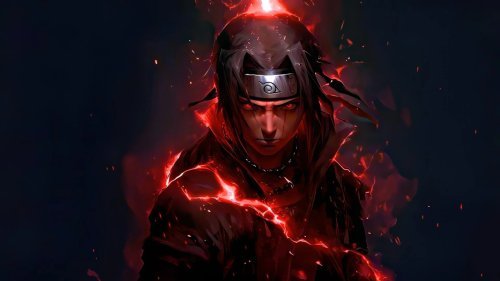
The centerpiece is the character animation. Itachi stands front and center with his iconic glowing red Sharingan eyes. The scene moves as part of a continuous loop.
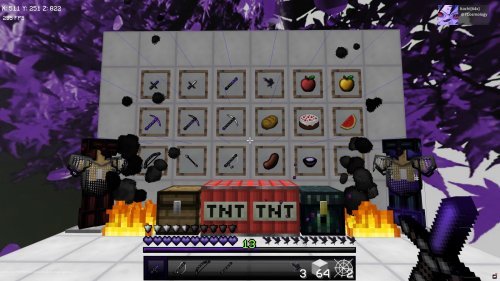
The visual effects that make it work
The pack uses layered effects instead of a static image. Flames and energy swirl around Itachi, with ember particles drifting throughout the scene. The whole thing has a dark cinematic look similar to an anime cutscene.
The animation plays smoothly with no frame stuttering or performance dip even if you leave the menu open. On both older and newer MCPE devices, the pack runs the looping without requiring extra processing power or battery drain.
Installation is straightforward
You don't need to fiddle with settings or configuration files. Download the .mcpack file, open it in Minecraft, and select "Apply." The new menu appears immediately the next time you launch the game. If you want to switch back, you select another pack or the default.
This works across all Bedrock platforms: Windows, mobile, console. If you're on MCPE, the mobile version, it works the same way as on desktop.
Who should download this
If you're into anime, Naruto especially, and you want your Minecraft space to reflect that interest, this is a straightforward choice. It's cosmetic-only, so it has zero impact on gameplay or server compatibility. Servers don't care what your menu looks like.
You're also not locked in. Pack with three friends and one of them hates anime? They can run their own menu pack while playing on the same server with you. The menu is personal; the world is shared.
This works well if you want something more visually interesting than the default menu but don't want to deal with complicated shader installations or heavy resource packs that slow down your device.
The Naruto connection
The pack pulls directly from Naruto Shippuden, specifically the character Itachi Uchiha. If you've never watched the series, the design might not mean much to you. It's a character with red eyes and some flames. But if you have watched it, seeing Itachi every time you boot up Minecraft is a nice touch.
Creator Buxy built this pack as a fan project. The animations and effects are designed to capture Itachi's aesthetic from the show, which is dangerous, controlled, and darkly beautiful.
Feature breakdown
- Animated main menu background with continuous looping
- Glowing red Sharingan eyes on the character model
- Flame and energy effects surrounding the scene
- Ember particles drifting throughout
- Dark, cinematic visual style
- Smooth performance with no lag or stuttering
- Instant application, no extra steps or configuration needed
How to install on Minecraft Bedrock and MCPE
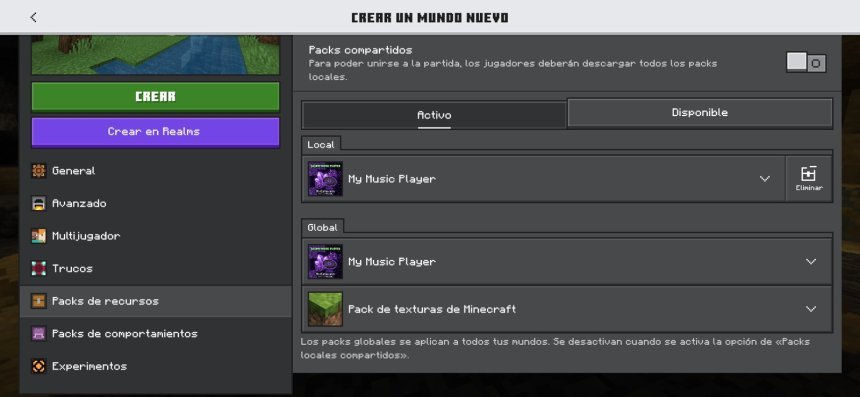
Download the pack file. On most devices, it will automatically open in Minecraft when you tap or double-click it. You'll see a popup asking if you want to apply it. Hit "Yes" and you're done. The pack will be listed in your resource packs menu, and your menu will update the next time you restart the game.
If the file doesn't auto-open, you can manually import it through your resource packs settings by pointing to the downloaded file.
Common questions
Does this pack work with shaders or other texture packs?
Yes. This only changes the menu, so it won't conflict with in-game packs or shaders. You can run this menu pack alongside any other cosmetic mods or resource packs without issues.
Will it slow down my device or cause lag?
No. The animation is optimized and runs smoothly even on lower-end devices. It's just a menu background, not an in-game effect, so the performance impact is minimal.
Can I use this pack on a multiplayer server?
Yes. Servers only see your in-game behavior and block changes, not your menu appearance. You're free to use any menu pack on any server without restrictions.
How do I uninstall or switch back to the default menu?
Open your resource packs settings and either delete the pack or select the default Minecraft menu pack. Changes take effect on the next restart.
Share
What's Your Reaction?
 Like
0
Like
0
 Dislike
0
Dislike
0
 Love
0
Love
0
 Funny
0
Funny
0
 Angry
0
Angry
0
 Sad
0
Sad
0
 Wow
0
Wow
0