Smartphone Addon for Minecraft Pocket Edition (MCPE)
Explore how the Smartphone Addon brings modern technology into Minecraft Pocket Edition, letting players use a virtual smartphone for communication, photos, navigation, and more while exploring the blocky world of MCPE.

The Smartphone Addon for Minecraft Pocket Edition is one of the most creative and futuristic mods ever made for the mobile version of the game. It introduces a working virtual smartphone that gives players a modern way to communicate, explore, and interact with their world. With features like messaging, photos, navigation, and even redstone integration, the addon turns your Minecraft experience into something completely new. It’s a perfect blend of technology and creativity, giving players more tools and entertainment right inside their blocky universe.
Before using the Smartphone Addon, players need to make sure it’s properly installed and compatible with their version of MCPE. The installation process is simple—download the addon from a trusted source like MCPEDL, import it into Minecraft, and enable it in both your behavior and resource packs. It’s important to check which version of MCPE you’re running because some older versions may not support all of the mod’s features. Most creators include clear installation instructions and update the addon frequently to keep it stable and bug free.
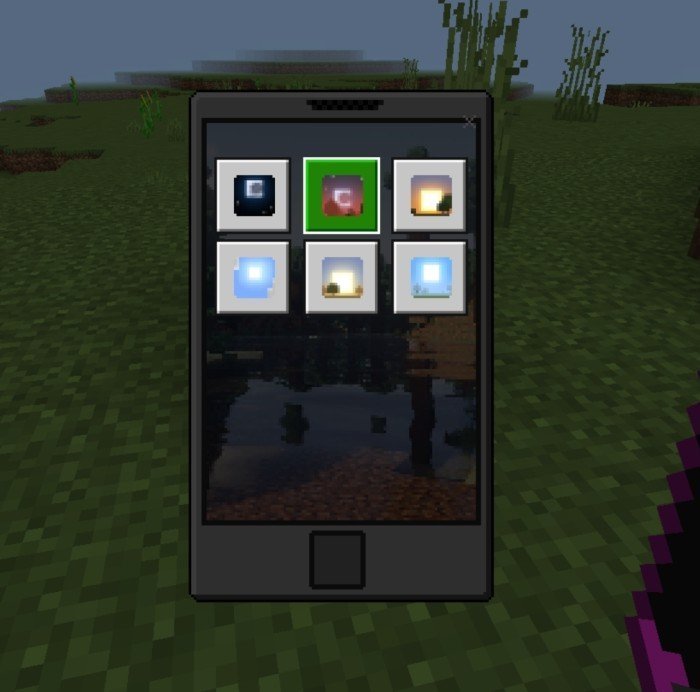
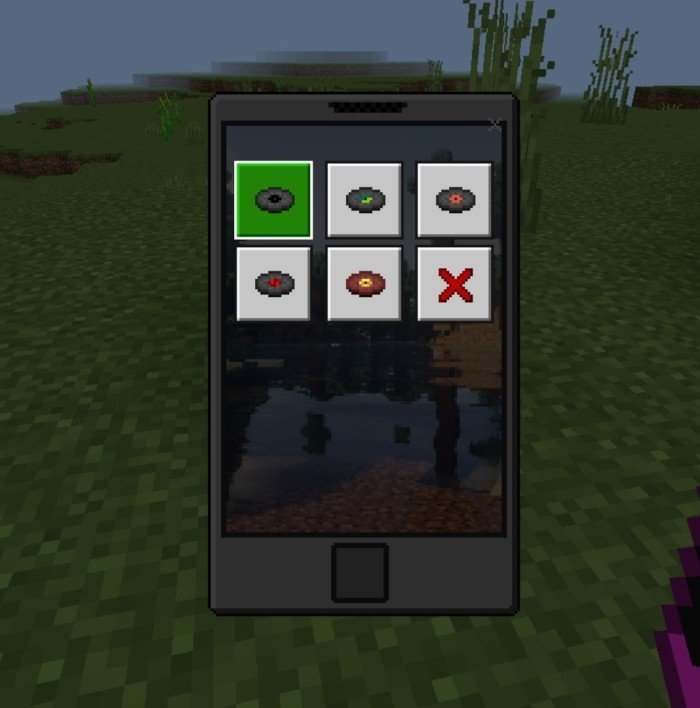
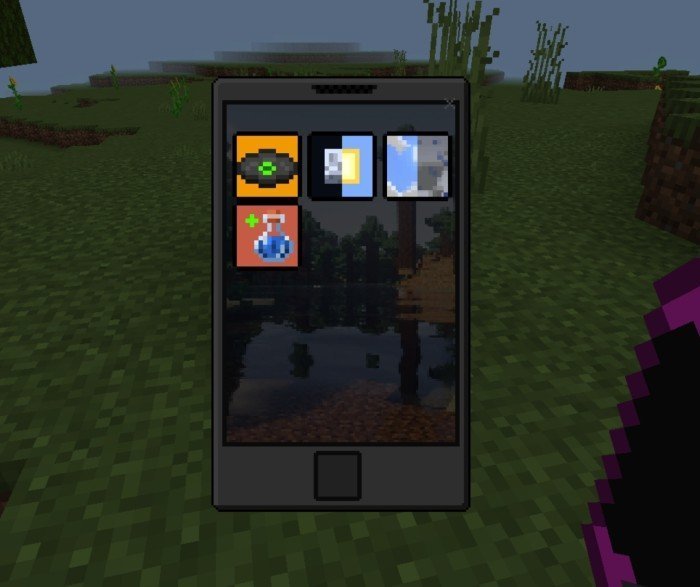
Once installed, players can access their virtual smartphone directly in game. The phone appears as an item that can be used like any other tool. When opened, it displays a digital interface similar to a real smartphone, complete with apps and menus. You can use it to perform several tasks that make your gameplay easier and more interactive. It feels surprisingly natural and adds a fun modern twist to Minecraft’s survival and creative modes.
One of the coolest features of the Smartphone Addon is its messaging system. Players can send in game messages to others on the same world or server. This makes it perfect for multiplayer sessions, where teammates can communicate and plan strategies without needing to use chat commands. It’s especially useful in large SMPs or adventure maps where coordination matters. You can send quick updates, ask for help, or just chat while building or exploring.
The addon also includes a photo feature, turning your smartphone into a virtual camera. This lets you take pictures directly inside the game, capturing your builds, landscapes, and memories. Instead of taking regular screenshots through your device, you can use the in game camera for a more immersive experience. Many players love this feature because it feels like you’re actually taking photos with a Minecraft phone. You can collect your favorite images and share them later with friends or on social media.
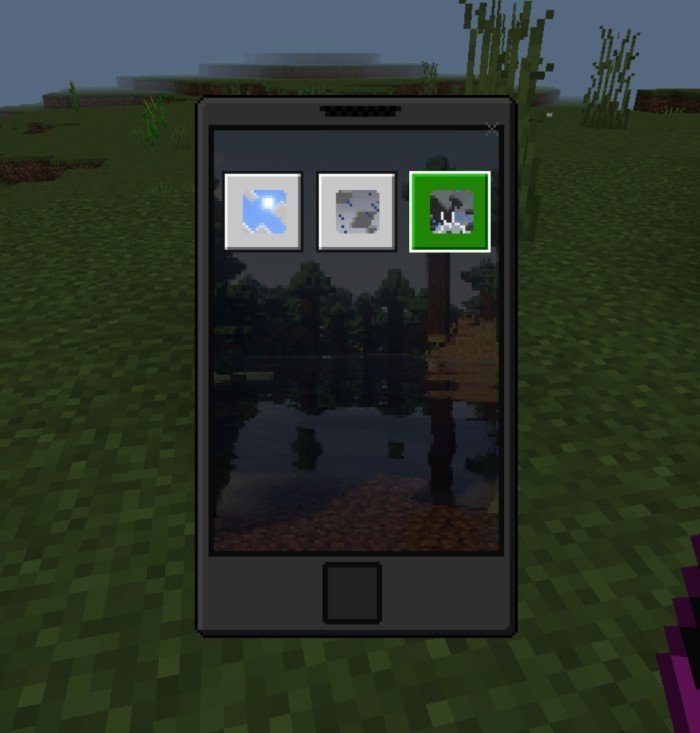
For players who enjoy background music or custom soundtracks, the Smartphone Addon adds an entertainment section. It includes a virtual music player that lets you play selected in game tracks while you play. This small feature adds a modern and cozy feel to Minecraft. You can listen to peaceful tunes while building or choose upbeat songs for your adventures. It’s a simple idea that makes long sessions more enjoyable.
Another key feature is navigation. The phone includes a map and waypoint system that makes exploring easier than ever. Players can mark specific locations, like their home base, mines, or interesting landmarks, and return to them whenever they want. This feature is especially helpful for survival players who travel far from home or explore massive biomes. You’ll never have to worry about getting lost again, and you can easily find your way back to important spots.
For redstone fans, the Smartphone Addon goes even further. It can connect to redstone mechanisms, letting players control devices remotely. You can use your virtual phone to activate doors, lights, traps, or farms from a distance. This feature gives players the chance to design more advanced builds and automate parts of their world. It’s a great mix of technology and redstone engineering that adds depth and creativity to how players interact with their creations.
Customization is another fun part of the addon. Players can personalize their virtual smartphone interface by changing themes, wallpapers, and icon layouts. This makes the device feel unique to each player. Whether you want a clean minimalist look or a colorful display, you can design the interface your way. These small details make the addon feel polished and more like a real in game gadget.
The Smartphone Addon has also inspired creativity and community interaction across Minecraft forums and YouTube. Players share their own setups, tutorials, and even roleplay videos that use the phone’s features in creative ways. Many use it in city maps or modern builds to make them feel more realistic. The community around this addon continues to grow, showing how much players enjoy combining modern technology with Minecraft’s classic world.
The developers behind the Smartphone Addon are active in keeping it up to date and improving it over time. They regularly fix bugs, add new apps, and update it for the latest versions of MCPE. This dedication keeps the mod running smoothly and ensures that players can enjoy it without issues. Each update often brings something new—like better photo storage, improved map features, or expanded communication tools.
In summary, the Smartphone Addon for Minecraft Pocket Edition is a fun and inventive way to bring technology into your blocky adventures. It’s not just about having a phone in game—it’s about expanding what you can do inside Minecraft. From sending messages and taking pictures to navigating worlds and controlling redstone builds, this addon gives players a more interactive and modern experience. Whether you’re building a modern city, playing on a multiplayer server, or just exploring solo, the Smartphone Addon adds something fresh and exciting to the game. Download it, install it, and experience what it’s like to carry your own Minecraft smartphone everywhere you go.
Share
What's Your Reaction?
 Like
0
Like
0
 Dislike
0
Dislike
0
 Love
0
Love
0
 Funny
0
Funny
0
 Angry
0
Angry
0
 Sad
0
Sad
0
 Wow
0
Wow
0